Workspaces in overlay and keyboard disappeared in Ubuntu 14.04 / Gnome
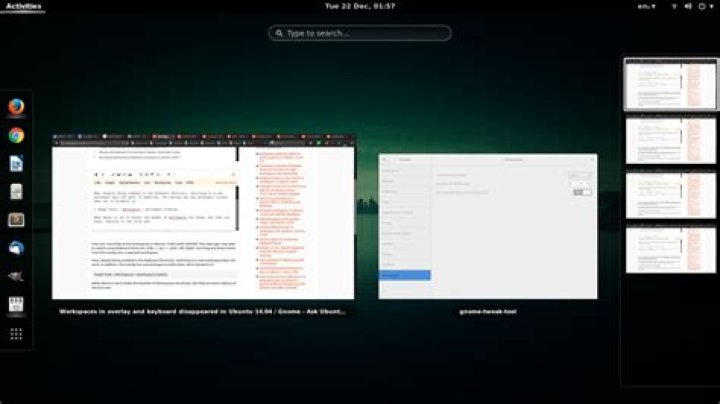
How can I reconfigure the workspaces in Ubuntu 14.04.3 with GNOME? Two days ago I was able to switch using keyboard shortcuts CTRL + ALT + LEFT OR RIGHT and drag and drop frames from the Expo into a separate workspace.
Now, despite being enabled in the Keyboard Shortcuts, switching to a new workspace does not work. In addition, the Expo has one workspace visible when set to Dynamics in:
Tweak Tools > Workspaces > Workspace Creation
When above is set to Static the Number of Workspaces are shown, but they are exact replicas of the first one:see image of workspaces replicated when set to 4 static
So far, with no luck, I have rebooted, reinstalled Unity, enabled CompizConfig > Desktop Wall + Expo + Desktop Size (2x2), reinstall ubuntu-desktop, reinstall ubuntu-gnome-desktop^.
1 Reset to default