Wireless Keyboard Intermittently Stops Working
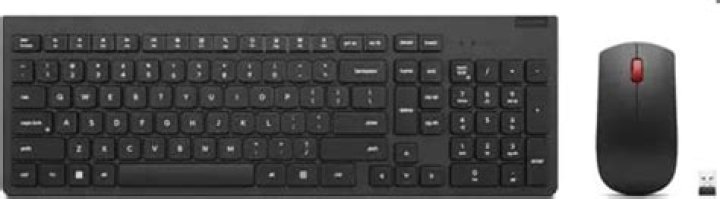
I have this Logitech MK345 Mouse/Keyboard Combo plugged into my PC through the provided USB dongle. My mouse works exactly as it should, however the keyboard will randomly stop working. Things I have tried to get the keyboard to work again
1) I will reboot 3 - 4 times
2) Shutdown the computer
3) Change batteries
4) Unplug the USB Dongle and plug back in
5) Switch the On/Off Switch To Off then flip to On again
None of this will get the keyboard working again. If I walk away and come back later (sometimes hours, sometimes a few minutes it may or may not work again).
What do I need to do in order to have this keyboard consistently work?
My OS is Windows 10 64 Bit
2 Answers
A couple things to try.
Check the distance from the dongle to the keyboard and move it closer if possible.
Connect this combo to a different computer and see if the issue shows up there too. Then you will know that it is the keyboard and not your computer.
Reinstall the driver by going to
This Computer->Computer->System Properties->Device Manager. There will be an option for Keyboards and a separate option for Mice. Since these work off one dongle they may be grouped in one or the other option. Uninstall and delete the local data for the driver. Unplug the dongle, plug it in to a different port for the plug-n-play to install it again.Download the Set Point software from Logitech Here. This is mostly for customization but it may have some special drivers that will help.=
If none of that works, depending on how long ago you got the combo, think about returning or exchanging it. You could have a faulty keyboard.
I have seen issues with dual-receiving dongles in Windows 10 but that was with a Microsoft Combo(ironically) and the replacement Logitech combo is working fine.
2Solution: Try going into your BIOS and in the USB section disable backward compatibility. This fixed my problem and my older USB 1.0 mouse still works.
My mouse and keyboard would intermittently stop working about once per day. It was infuriating. I tried EVERYTHING including a completely fresh install of windows.
I don't think my fresh Windows install was part of the solution but I did do it the day before I disabled backward compatibility in BIOS for USB devices so you may also want to try that. I definitely still had the problem after the clean Windows install before I made the change to the BIOS.
I'm currently on day 3 of no problems so I'm pretty sure this works. Previously I had the problem at least once a day if not more.
I have an ASROCK motherboard - not sure if that matters.
Goodluck!