Wireless USB Adapter not detected
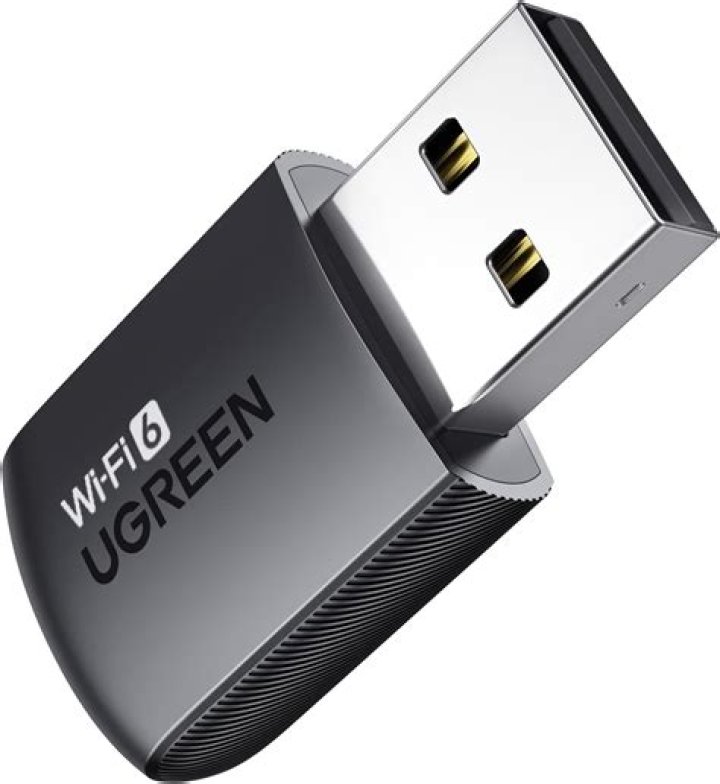
Ubuntu 20.04 64-bit does not detect a USB WiFi adapter that according to the packaging is supposed to work for Linux. Windows 10 picks it up straight away.
WIFI Model: COMFAST CF-826F
$ lsusb
Bus 006 Device 001: ID 1d6b:0003 Linux Foundation 3.0 root hub
Bus 005 Device 003: ID 18f8:0fc0 [Maxxter] USB GAMING MOUSE
Bus 005 Device 002: ID 258a:002a SINO WEALTH Keyboard
Bus 005 Device 001: ID 1d6b:0002 Linux Foundation 2.0 root hub
Bus 004 Device 001: ID 1d6b:0003 Linux Foundation 3.0 root hub
Bus 003 Device 001: ID 1d6b:0002 Linux Foundation 2.0 root hub
Bus 002 Device 001: ID 1d6b:0003 Linux Foundation 3.0 root hub
Bus 001 Device 002: ID 0bda:f192 Realtek Semiconductor Corp. 802.11n WLAN Adapter
Bus 001 Device 001: ID 1d6b:0002 Linux Foundation 2.0 root hub
$ inxi -Fxz
System: Kernel: 5.11.0-38-generic x86_64 bits: 64 compiler: N/A Desktop: Gnome 3.36.9 Distro: Ubuntu 20.04.3 LTS (Focal Fossa)
Machine: Type: Desktop Mobo: Gigabyte model: B450 AORUS M v: x.x serial: <filter> UEFI: American Megatrends v: F51 date: 07/29/2020
CPU: Topology: 6-Core model: AMD Ryzen 5 3600 bits: 64 type: MT MCP arch: Zen L2 cache: 3072 KiB flags: avx avx2 lm nx pae sse sse2 sse3 sse4_1 sse4_2 sse4a ssse3 svm bogomips: 86237 Speed: 2194 MHz min/max: 2200/3600 MHz Core speeds (MHz): 1: 2195 2: 2195 3: 2192 4: 2195 5: 2196 6: 2195 7: 2196 8: 2237 9: 2196 10: 2198 11: 2190 12: 2195
Graphics: Device-1: NVIDIA TU116 [GeForce GTX 1650 SUPER] vendor: Gigabyte driver: nvidia v: 470.63.01 bus ID: 06:00.0 Display: x11 server: X.Org 1.20.11 driver: nvidia unloaded: fbdev,modesetting,nouveau,vesa tty: N/A OpenGL: renderer: NVIDIA GeForce GTX 1650 SUPER/PCIe/SSE2 v: 4.6.0 NVIDIA 470.63.01 direct render: Yes
Audio: Device-1: NVIDIA TU116 High Definition Audio vendor: Gigabyte driver: snd_hda_intel v: kernel bus ID: 06:00.1 Device-2: AMD Starship/Matisse HD Audio vendor: Gigabyte driver: snd_hda_intel v: kernel bus ID: 08:00.4 Sound Server: ALSA v: k5.11.0-38-generic
Network: Device-1: Realtek RTL8111/8168/8411 PCI Express Gigabit Ethernet vendor: Gigabyte driver: r8169 v: kernel port: f000 bus ID: 03:00.0 IF: eno1 state: up speed: 1000 Mbps duplex: full mac: <filter> Device-2: Realtek 802.11n WLAN Adapter type: USB driver: usb-network bus ID: 1-6:2
Drives: Local Storage: total: 953.87 GiB used: 10.72 GiB (1.1%) ID-1: /dev/sda vendor: Silicon Power model: SPCC Solid State Disk size: 953.87 GiB temp: 40 C
Partition: ID-1: / size: 137.41 GiB used: 10.69 GiB (7.8%) fs: ext4 dev: /dev/sda6
Sensors: System Temperatures: cpu: 59.4 C mobo: N/A gpu: nvidia temp: 50 C Fan Speeds (RPM): N/A gpu: nvidia fan: 59%
Info: Processes: 313 Uptime: 12m Memory: 15.58 GiB used: 2.06 GiB (13.2%) Init: systemd runlevel: 5 Compilers: gcc: 9.3.0 Shell: bash v: 5.0.17 inxi: 3.0.381 Answer
With a working internet connection by tethering, ethernet or whatever means possible, open a terminal and do:
sudo apt-get install build-essential git dkms linux-headers-generic
git clone
sudo dkms add ./rtl8192fu-dkms
sudo dkms build rtl8192fu/5.8.6.2
sudo dkms install rtl8192fu/5.8.6.2
It builds with a few possibly harmless warnings on my 21.10 system. Reboot.


