Wireless bridge DNS issues
I just moved into a new place, and now use Comcast's Cisco 105+ as a cable modem/wifi gateway.
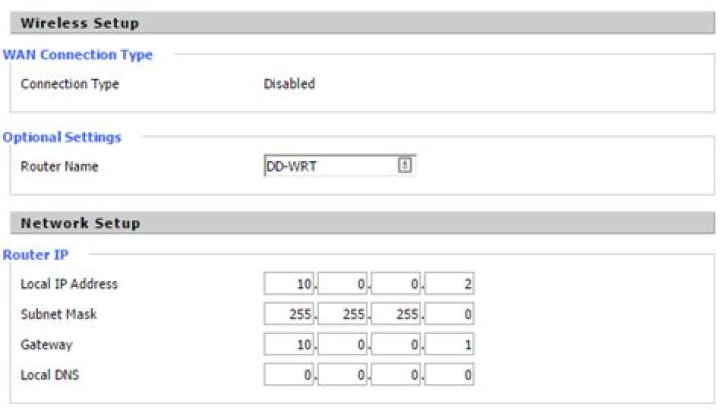
I've set up my Buffalo WZR-300HP (DD_WRT v24 SP2) as a wireless bridge, using the "Client Bridge (Routed)" setting as my Wireless Mode.
Cisco (primary router) IP: 10.0.0.1
Buffalo (secondary) IP: 10.0.0.2
In the secondary router, I've set my gateway and DNS to 10.0.0.1. However, after 5 minutes or so, any machine connected via LAN to the secondary router will lose DNS. The only thing that fixes it is a computer reboot or disable/enable the network adapter, which I'm assuming refreshes DNS for something?
I'm guessing there's more info needed, so please let me know if that's the case. Otherwise, any thoughts?
1 Answer
The settings for the primary are wrong: the initial DHCP address cannot be 10.0.0.2 because that is already taken, in a static lease, by the Buffalo.
Also, the two ranges overlap. You should separate them. For instance, in router 1 use the range
10.0.0.32-10.0.0-95and in the Buffalo use
10.0.0.160-10.0.0.223In this way, there will be no conflict.
3

