Wireless/audio not working on Dell Vostro 15 5590 with Ubuntu 18.04.3 LTS
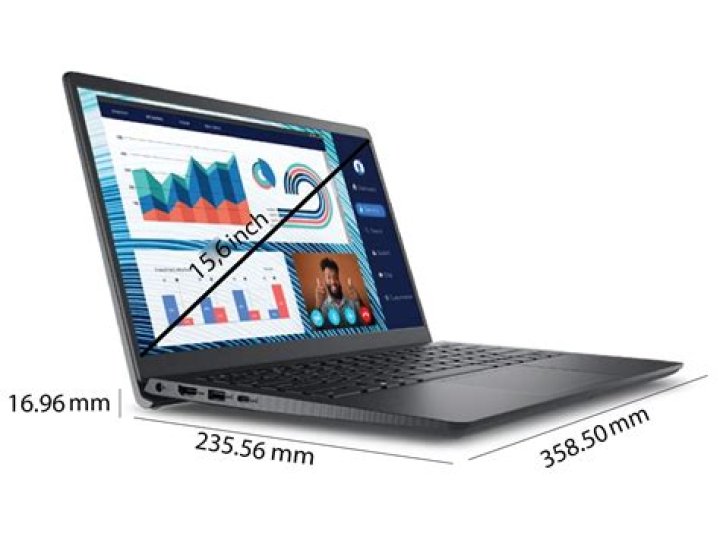
I am posting this as I've gone through several posts here and couldn't understand exactly the issues I'm having and the solution. I recently bought a Dell Vostro 15 5590 (see here for all specs). Relevant hardware information:
- 10th Generation Intel Core i7-10510U
- Wireless adapter Intel 9462 NGW
- Audio controller Realtek ALC3204
It came with Windows 10, but then I decided to install Ubuntu 18.04.3 LTS alongside it. When I first booted into Ubuntu, I noticed the wireless wasn't working. The card wasn't even showing up in the UI, but with lspci I could see it. After a thorough search I found this which worked. I basically installed the linux-oem-osp1 package and after a reboot I was able to connect to a Wi-Fi network.
However, I then noticed that the audio wasn't working, neither input nor output. In the UI it was only showing the dummy output but again through lspci I could find my sound card. Found some questions here but nothing worked. Does anyone have any clue about this?
UPDATE: About the sound issues, I tried all the alternatives provided in this link. For the step where I should run the alsamixer utility, it failed with the message cannot open mixer: No such file or directory. I believe that is because it cannot find any sound card?
UPDATE WITH PARTIAL SOLUTION: By following the steps suggested by Pedro below, I was able to have sound output and wi-fi working. It basically consists on going back to the kernel 5.0.0-37-generic, which makes the sound work, and then installing the package backport-iwlwifi-dkms with the commands:
$ sudo add-apt-repository ppa:canonical-hwe-team/backport-iwlwifi
$ sudo apt-get update
$ sudo apt-get install backport-iwlwifi-dkms
$ reboot
The internal microphone still doesn't work, although the microphone of a headset works fine. I will go after this issue now and will update this with more info if I get it to work.
35 Answers
I manage to solve it. I have the exact same configs as yours and I've been through the same situation. I noticed
- kernel 5.0.0-37-generic - wifi adapter not working, sound working
- kernel linux-oem-osp1 - wifi adapter working, sound not working
First, I plugged in the good old ethernet cable and went back to kernel 5.0.0-37-generic. You can boot another kernel in the grub menu and make it the default. So, sound is on.
Secondly I tried lots of ways to make the wifi adapter work, this was the only one that really did it.
$ sudo add-apt-repository ppa:canonical-hwe-team/backport-iwlwifi
$ sudo apt-get update
$ sudo apt-get install backport-iwlwifi-dkms
$ reboot
not sure if this is the optimal way, but now wifi and sound are working.
I'll start my research about input audio now, I'll come back and edit if I somehow get it working.
4I also have a Dell Vostro 5590 for a few days now, and had a similar problem. I did quite a lot of different things to make this laptop usable with Ubuntu so I cannot exactly say what helped me, but at some point I have noticed that the sound was working with kernel 5.0.0-37 (but no WiFI), but it was gone when switching to 5.0.0-1030-oem-osp1 (WIFI was working). After comparing the info returned by lspci -vv I have noticed the difference in Kernel driver in use of my Multimedia audio controller. It was set to sof-audio-pci for oem-osp1 kernel build (sound not working) and snd_hda_intel for 5.0.0-37. I started to play with Alsa settings and added options snd-hda-intel dsp_driver=0 at the end of /etc/modprobe.d/alsa-base.conf file.
In a meanwhile I have also upgraded the system to 19.10 and tried with newer kernels, but always either WIFI, or sound was not working. I don't know exactly what I did, but suddenly both WIFI and sound started to work on Ubuntu 19.10 with kernel 5.3.0-24. lspci -vv shows it is using snd_hda_intel driver now.
Next issue I need to solve is not working build-in microphone.
I know it is not a solution to your problem, but I hope it may give you some clue that will help you find it.
1Try this : - Intel Wifi Card not working on Ubuntu
Maybe you can Try to reinstall PulseAudio and Alsa by opening a terminal and doing the following:
Purge Alsa and PulseAudio using the command:
sudo apt-get remove --purge alsa-base pulseaudioInstall Alsa and PulseAudio again:
sudo apt-get install alsa-base pulseaudioReload Alsa:
sudo alsa force-reloadDone. Check again if the sound is working.
If not, try:
sudo add-apt-repository ppa:ubuntu-audio-dev
sudo apt-get update
sudo apt-get dist-upgrade
Maybe you want to also check this out:
2I had the same problem on my Dell Vostro 5590.
For audio (Realtek ALC3204) you have to stay on the Kernel 5.3.0-43-generic x86_64 for the moment and modify the default startup in Grub.
For Wireless (Intel Wireless-AC 9462) follow this procedure (Attention if you change Kernel you will lose your wireless configuration again) In the terminal as follows:
sudo apt install git build-essential
git clone
cd backport-iwlwifi
make defconfig-iwlwifi-public
sed -i 's/CPTCFG_IWLMVM_VENDOR_CMDS=y/# CPTCFG_IWLMVM_VENDOR_CMDS is not set/' .config
make -j4
sudo make install
cd /lib/firmware
sudo wget
sudo wget
Solution provided by jylyknight is working. Below you can see how to install kernel. It also work with Dell Vostro 7590 For 64-bit OS:
cd /tmp/
wget -c
wget -c
wget -c
wget -c
sudo dpkg -i *.deb
How to set old kernel in grub? Below instruction
sudo cp /etc/default/grub /etc/default/grub.bak
sudo -H gedit /etc/default/grub
set in grub
#GRUB_TIMEOUT_STYLE=hidden
GRUB_TIMEOUT=15
this will allow you to choose kernel during start. Choose 5.3
0

