Wireguard handshake
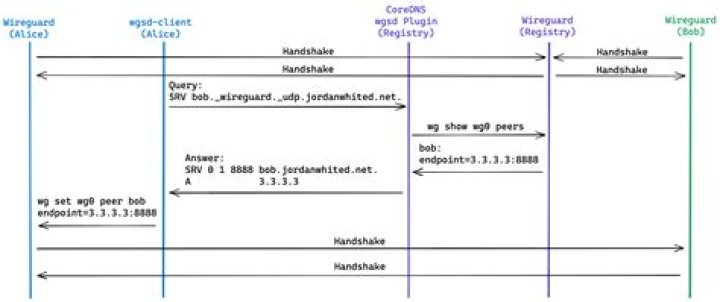
I have 3 Ubuntu servers.All of them are running 21.10. (Linux Nas1 5.13.0-1016-raspi #18-Ubuntu SMP PREEMPT Thu Jan 20 08:53:01 UTC 2022 aarch64 aarch64 aarch64 GNU/Linux)
One is the wireguard server the other two are clients. I recently put up the third server (client). As I installed wireguard on this machineI checked what got loaded and that it was actually bringing up and interface with a blank wg0.conf file.
lsmod | grep wire
wireguard 90112 0
libchacha20poly1305 16384 1 wireguard
libblake2s 16384 1 wireguard
libcurve25519_generic 40960 1 wireguard
ip6_udp_tunnel 16384 1 wireguard
udp_tunnel 28672 1 wireguard
ifconfig
wg0: flags=209<UP,POINTOPOINT,RUNNING,NOARP> mtu 1420
unspec 00-00-00-00-00-00-00-00-00-00-00-00-00-00-00-00 txqueuelen 1000 (UNSPEC) RX packets 0 bytes 0 (0.0 B) RX errors 0 dropped 0 overruns 0 frame 0 TX packets 0 bytes 0 (0.0 B)I used the exact same config from the client that is making a handshake to the new one only using the public key in the server config new [Peer] slot (using cat on the client to list the public key) and the host address to 192.168.10.7 (on both server an client) versus 192.168.10.6 from the client that's working. Below are the configs.
SERVER
[Interface]
Address = 192.168.10.1/24
PrivateKey = PRIVATEKEY
ListenPort = 51820
PostUp = iptables -A FORWARD -i %i -j ACCEPT; iptables -A FORWARD -o %i -j ACCEPT; iptables -t nat -A POSTROUTING -o eth0 -j MASQUERADE
PostDown = iptables -D FORWARD -i %i -j ACCEPT; iptables -D FORWARD -o %i -j ACCEPT; iptables -t nat -D POSTROUTING -o eth0 -j MASQUERADE
[Peer]
#NAS_REMOTE
PublicKey = Rcl14dY+v76Pcw4uWmMUPwG0EdoBMjisDzsgGoBVFiI=
AllowedIPs = 192.168.10.6/32
[Peer]
#NAS1
PublicKey = 44yLweAnZJmLrtQdGJPUYJvOeNCbme4YnsaR2/hA6Q8=
AllowedIPs = 192.168.10.7/32
CLIENT
[Interface]
Address = 192.168.10.7
PrivateKey = PRIVATEKEY
DNS = 8.8.8.8
[Peer]
PublicKey = E7k2xiSLRMy9wjuPTZIMKLoThQkv+4f0IJcYTbNAfAI=
Endpoint = <MYPUBLICIPADDRESS>:51820
AllowedIPs = 0.0.0.0/0, ::/0
PersistentKeepalive = 25
All that said, it doesn't handshake while the other one 192.168.10.6 does. I'm just really baffled by this one. Any help would be greatly appreciated. I've spent three weekends trying to figure this one out so far.
02/27/22 UpdateI can get it to handshake if I use the local IP as the Endpoint versus a public url (which by the way does translate correctly to public IP). Otherwise, I believe both client machines are the same. The working public url one was an upgrade to 21.10 versus the one that's not working with a public IP. It was a fresh install.
0 Reset to default