Windows Remote Access Service Error - NetExtender SonicWall - Windows 10
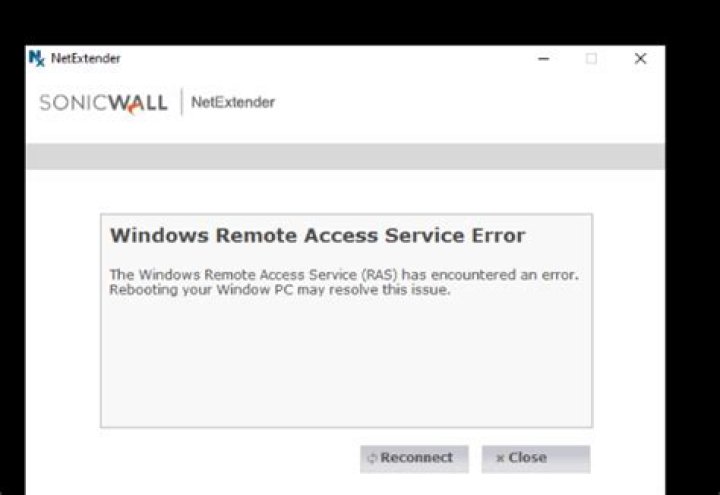
I experience this issue when I try to access VPN via Sonicwall NetExtender (version 9.0.274) in Windows 10. Also the issue is intermittent and it gets fixed after I reboot but I am looking for a perm fix. The exact error message is:
"The Windows Remote Access Service (RAS) has encountered an error. Rebooting your PC may resolve this issue."
I did some changes but the issue still seems to be there.
- Updated network drivers.
- Changed the Remote Access Auto Connection Manager and Remote Access Connection Manager to automatic (as recommended by MS)
- Tried uninstall and reinstall application.
Has anyone else experienced the same issue? Any suggestions on how to get a permanent fix ?
Thanks.
5 Answers
I like to share my feedback, as I was addressing the same matter today and couldn't find an answer online to fix it.
NOTE:In certain cases the issue can be quickly fixed by deleting the Wan Miniport (IP) and the Wan Miniport (PPTP) in device manager. After deleting device re-scan for changes or reboot your client.
As this might not always be the case I have listed some troubleshooting step that got me resolving the issue in the first place.
Action: Remove conflicted software. 1 - Check if recently any other network devices has been added or installed like an internet hub, mobile device or related updates. Uninstall device or do a rollback of the update.
Action: Restore and reinstall the net-extender
Backup your configuration from the net-extender, (make a note of the login details).
1 - Open device manager, go to start, run, and type in devmgmt.msc, click on Ok.12 - Scroll down to network adapters and search for and delete
"SonicWall NetExtender Adapter", "Wan Miniport (IP)" and Wan "Miniport (PPTP)"
3 - Go to Add & Remove Programs, Uninstall the SonicWall software
4 - At the explorer in the folder "Program Files X86", check if the folder sonicwall exist
if found delete it.5 - Reboot the client/system
6 - Reinstall Net-Extender
I installed the SonicWALL Mobile Connect application from the Microsoft Store on Windows 10. (Idea from @Pjs's comment)
Store Link:
This app integrates into the Windows 10 VPN setup, so it feels like you are using the native Windows 10 VPN setup, instead of a separate application.
Restart the RAS service
Open the Task Manager, go to Services, find RAS or RasMan, right click and select "go to details" and it will bring up the correct svchost.exe process - End the task to stop the service.
Go back to services and start the RAS manually, then try to log back in to NetExtender.
Works for me!
1I suddently experienced the same symptoms on a system that had worked for months before. Instead of meddling with the device manager, the following set of instructions resolved the situation:
- Uninstall SonicWall NetExtender.
- Reboot the system.
- Reinstall SonicWall NetExtender.
- Reboot the system.
- Reconfigure your VPN connection.
- Connect.
(Step 1. probably has a similar effect as removing the network adapter device.)
Tried restarting the RAS services - but that did not work. However, uninstalling the WAN miniport drivers manually worked...
Press the Windows + R keys to open the Run dialog box. Type in the following text, and then press Enter. devmgmt.msc
In the Device Manager window, double-click Network adapters to expand it.
Under Network adapters, double click WAN Miniport drivers (IKEv2) to open driver properties.
On the Driver tab, click Uninstall or Uninstall Device.
Also remove the following drivers: WAN Miniport drivers (IP) WAN Miniport drivers (IPv6)
In the Device Manager window, from the top toolbar, click Action and then click Scan for hardware changes.
1

