Windows 7 home x64 installer cannot boot 0xc000000d
I'd like to temporarily install Windows 7 home on one of my computer for testing. I have Win7_HomePrem_SP1_Hungarian_COEM_x64.iso As far as I remember I downloaded it 3 years ago from Microsoft. I think I used this iso to install win7 on an old computer 3 years ago and it worked properly.
The current motherboard is MSI c236m, in the menu I see something like windows 7 installer support, which I enabled. After that I wrote the iso to a 16GB kingston pendrive I always use for installation. A Windows 10 installation successfully booted from it on the same computer, so the pendrive is ok.
I tried to write this win7 iso with recent rufus and I got the following error when I tried to boot from it: file: bcd, code: 0xc000000d, message: "error occured while attempting to read boot configuration data". I checked the pendrive, the BCD file exists. I tried with both NTFS and FAT32 it does not affect it. Secure boot is disabled. I used GPT and MBR.
I tried with Universal-USB-Installer-1.9.6.1, sometimes it writes unable to read errors while extracting, but most of the times everything goes fine. It is weird.
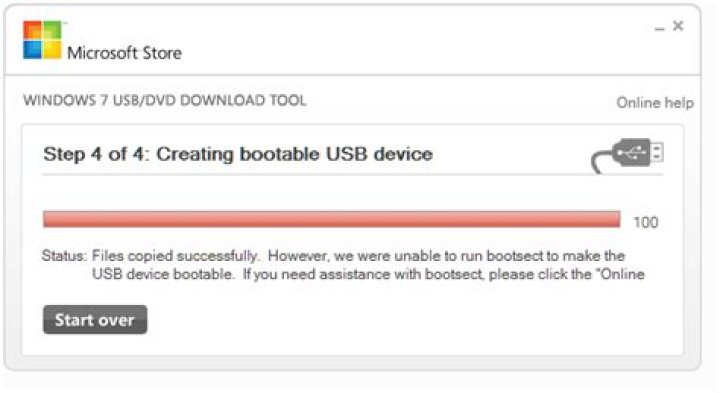
I tried with Windows7-USB-DVD-Download-Tool-Installer-en-US and I got the following error:
I verified the sha1 checksum of the iso, it is fine.
Any idea how to fix this?
10 Reset to default

