Why do I get ImportError when trying to import Pandas Python module?
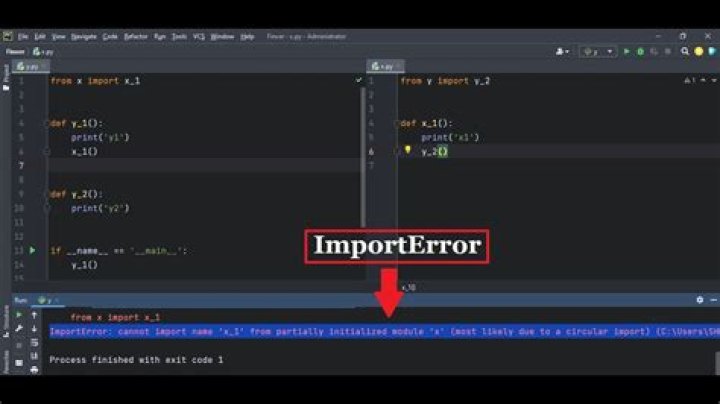
I installed the Pandas module for Python 2.7 using apt-get. However, when I try to import the module, it raises an ImportError:
import pandas as pd File "/usr/lib/pymodules/python2.7/pandas/__init__.py", line 15, in <module> raise ImportError('ImportError: C extensions not built: if you installed already verify that you are not importing from the source directory')The call in /usr/lib/pymodules/python2.7/pandas/__init__.py is:
import pandas.lib as lib
except Exception: # pragma: no cover import sys e = sys.exc_info()[1] # Py25 and Py3 current exception syntax conflict if 'No module named' in str(e): raise ImportError('C extensions not built: if you installed already ' 'verify that you are not importing from the source ' 'directory') else: raise
Why do I get ImportError and how do I solve this?
Following is what I get when trying to import the dependencies of Pandas in an interactive Python shell:
>>> import numpy as np
>>> import dateutil
>>> import pytz
>>> import numexpr
Traceback (most recent call last): File "<stdin>", line 1, in <module>
ImportError: No module named numexpr
>>> import bottleneck
Traceback (most recent call last): File "<stdin>", line 1, in <module>
ImportError: No module named bottleneck2 Answers
Following are the dependencies for Pandas:
- NumPy
- python-dateutil
- pytz
And the Pandas project list the following two as highly recommended dependencies:
- numexpr
- bottleneck
It looks like apt-get only installed the required dependencies and not the highly recommended ones; as such you get an ImportError when trying to import numexpr and bottleneck. Installing these modules should most probably solve the problem.
Since, you are running Python 2.7 as evident from Python Traceback, install these two modules as suggested below:
numexpris present in Ubuntu's repositories. So, install it by running:sudo apt-get install python-numexprbottleneckis not present in Ubuntu's repositories. So, install it usingpip. We would also need to installbuild-essentialspackage in order to buildbottleneck:sudo apt-get install python-pip build-essentials sudo pip install bottleneck
Also, if a package was installed via easy_install, and now other dependency packages have been installed via PIP, this sort of issue can arise.
To fix, remove any/all modules installed via easy_install by rm -rf /usr/local/lib/python2.7/site-packages/"module_name".
Then run pip install "module_name".


