What really is a terminal server and how is it not made obsolete by other devices providing similar service?
From what I understand a (Windows) term server is for connecting devices in a network as well as to serve as a VPN for giving devices around the world access to the internal network(non-privacy focused VPN like the ones you see in commercials, more like the general umbrella term for a literal Virtual Private Network). To me, it sounds like it's essentially meant to kill two birds with one stone
- Act like a proxy on the front of a network with a public IP that can be connected to from devices out side of the network. It will give internal access to the network and the ability to interact with the devices inside that only have local IPs.
- Take the place of a switch and connect the networks devices
When there are already two things that can do the terminal servers job, how is it not obsolete? Or is there more to it and I do not have a full grasp on the service a term server provides?
12 Answers
Terminal servers have nothing to do with proxies, VPNs or public IPs. (They also have absolutely nothing to do with connecting devices in a network, or taking the place of an Ethernet switch.)
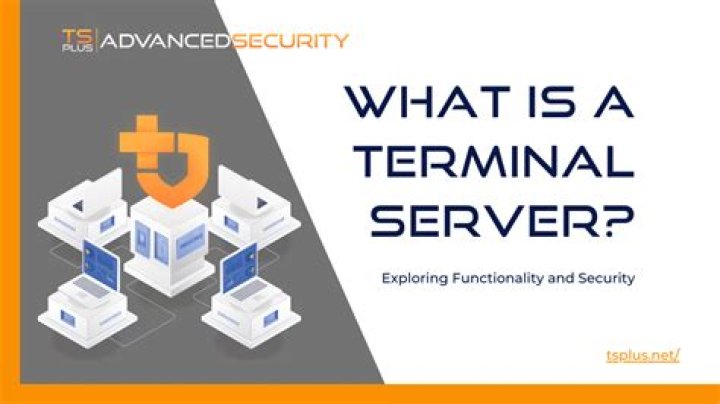
A terminal server is a machine that you connect to and use interactively – basically a "remote desktop" server. You might connect to it from a regular PC using an app (RDP, SSH, VNC, Citrix...), or you might connect to it from a special-purpose "thin client" device, same thing.
(In the past, terminal servers would be accessed using hardwired TTY connections or dial-in modems. That is however not the same thing as taking place of a network switch, because such connections were not a network in the first place, merely long-reaching peripherals of the same machine.)
The main purpose of a terminal server is to remotely access desktop apps installed on that server, with the goal often being to use hardware resources of that server. It could be basic apps like MS Office (i.e. simply having a personal desktop accessible from anywhere), or apps that are very complex to install, or highly resource-demanding apps that would run too slow on your computer, or "per-install" licensed apps that have to be shared between many employees, etc.
Therefore, VPNs do not replace terminal servers because they only grant access to the remote network, but not to the remote computing resources. (And vice versa, being able to access the network is not a primary function of a terminal server, only a byproduct.) In fact, usually you would connect to a corporate VPN first, and to a terminal server through that VPN afterwards. And even if you were physically inside the network, you'd still use a terminal server if you needed to use the apps that are installed on it.
Network switches don't do a terminal server's job – they do a completely different job. A terminal server is not network infrastructure.
As other replies pointed out,Terminal Server is much more than a mere VPN. But the main point still stands: there is Free Open Source Software that can do the same as TS, using less resources and being equal or better in terms of reliability, performance and security. But there are also some considerations to factor in:
- Many companies have already deployed a Windows-based network environment, and Terminal Server is supposed to be easier to integrate with it.
- Companies trust Microsoft because of their mere brand, after all they have invested in publicity, and also because of their products being so widely used. For the same reason, most software companies develop their products for Windows rather than Linux or BSD-derivates.
- There are plenty of people who have received Microsoft certified formation, so companies assume that having a Windows-based network, it will be easier for them to find a qualified network manager.
- On the other hand, not so many people are capable of taking over the administration of a Linux-based network, once the former network manager leaves the job. Not only because there are fewer people versed in Linux network administration, but also because Linux doesn't give you a pre-established monolithic recipe like Windows: it allows you to be more creative, and one network manager may do the same thing very differently than another.


