What is rotating my haproxy logs?
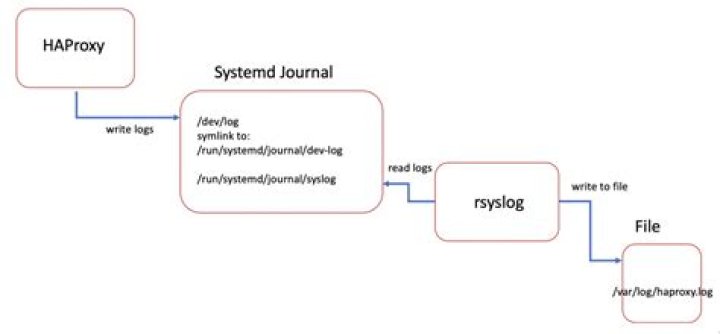
I have a haproxy logrotate configuration file in /etc/logrotate.d/haproxy that looks like this:
"var/log/haproxy.log" "/var/log/haproxy-status.log" { daily size 250M rotate 1 create 644 root root missingok compress notifyempty copytruncate
}
which is not working. I have proved this by running logrotate -f /etc/logrotate.d/haproxy which gives me skipping "/var/log/haproxy.log" because parent directory has insecure permissions - I have a work in progress to fix this, my question is different.
However, my logs are still being rotated by something else. Where can I find what might be rotating those logs?
2 Answers
I think your issue is just a typo.
Note that in your configuration you have: "var/log/haproxy.log"
This is a relative path and should be changed to be an absolute path:
"/var/log/haproxy.log"
So finally your config file should be:
"/var/log/haproxy.log" "/var/log/haproxy-status.log" { daily size 250M rotate 1 create 644 root root missingok compress notifyempty copytruncate
}
Anything that rotates logs is located in /etc/logrotate.conf, which in turn includes /etc/logrotate.d directory. Anything matching your haproxy path is rotating your logs.
To check if Your log is rotated use following command
cat /var/lib/logrotate/status |grep haproxyor (other systems)
cat /var/lib/logrotate.status |grep haproxyIf You find it, look at /etc/logrotate.conf and /etc/logrotate.d/* files.
grep -r log /etc/logrotate*

