Weird screen glitch on screen rotation in Ubuntu 21.10
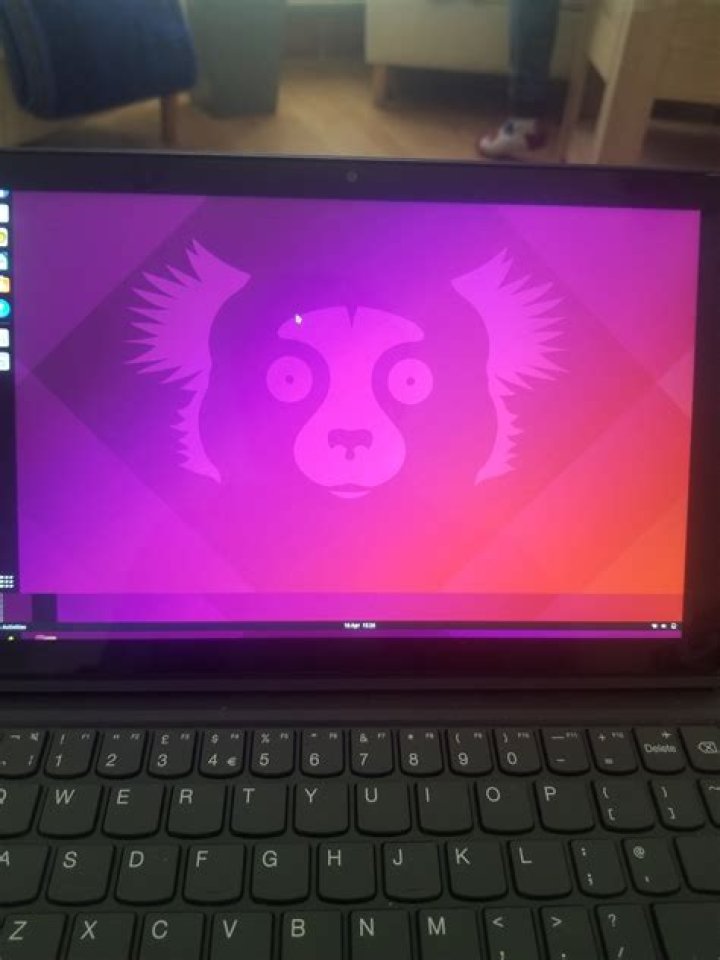
After a fresh install of Ubuntu 21.10 the screen rotation was wrong, and I've fixed that, but still every so often I'm getting a weird screen glitch. It's like the screen goes out of the actual screen space until I click something.
I have Intel Corporation GeminiLake [UHD Graphics 600] (rev 06)
Here's an image of what's happening
2 Answers
Alright then, maybe try doing this
sudo apt-get install xserver-xorg-video-intelIf that doesn't work, try
sudo apt-get purge xserver-xorg-video-inteland then try reinstalling. I use a thinkpad which doesn't have auto rotation, but I hope it helps!
1Well, ubuntu 21.10 is about to drop off in July and 22.04 stable just emerged, try upgrading. (seriously, its way better) the new version adds an option for middle task bar custom colors etc. Its better IMO, it may also fix your graphical issues. (i only made this an answer because i couldn't add code) if you want to upgrade, run this command in terminal (that is if you didnt know the command to begin with
sudo do-release-upgradeThat should find the latest version and upgrade. hope this works, if it doesn't maybe someone else can help


