VLOOKUP when Lookup Value is a cell populated via another formula
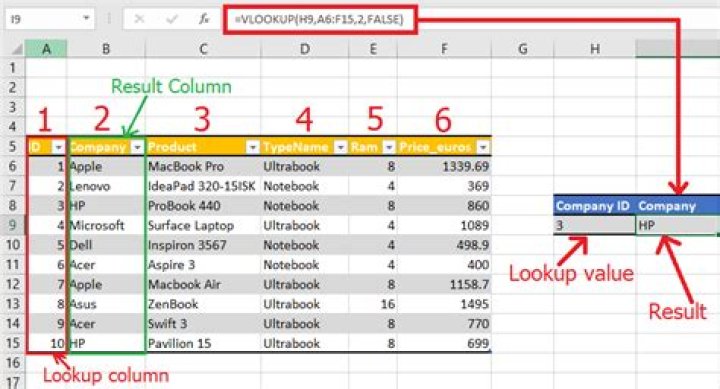
I need to perform a VLOOKUP, but the Lookup Value is a cell that is populated based on an other formula. The lookup is bringing me back a value of "#N/A". When I recreate the same values in another Excel file (populating the cells manually instead of by another formula) it brings back the value I need. Any suggestions?
42 Answers
Disclaimer: As Jay has stated, it is difficult to understand exactly what you are trying to do. I was able to duplicate the #NA error you were seeing and began to research it from there. There are too many variables within your workbook for me to know and verify if this will work for you. Hope it will, but if not, sorry.
What I found was the error being due to the date format. The IF statement is placing the value as text with quotation marks when the statement is TRUE. That is the correct way to use it. So, here is what to do to make the VLOOKUP formula work. Use the DATEVALUE function to get it to see the date in the correct format.
=VLOOKUP(DATEVALUE(C16),Lookup!A:B,2,)Please provide feedback so we know if this works for you.
The question you are asking is still a little confusing even when you give us the formula you are using. It would be additionally helpful if you were to give perhaps a overview of what you are trying to do.
I will try to answer by on what you have told us but if you provide additional information, I will alter my answer to reflect your changes. Base on the information you have given us, this is what I can conclude:
- Base on the information you already gave us, I think I can assume that the information in Column A are dates in the format "xx/xx/xx". And you are trying to find a date that matches either "" or "1/1/12" from that column and print out the values in column B. I don't completely understand what Column K is. But if this is correct, one thing i would check is the formatting of column A. The values of C16 are text values, "" and "1/1/12". If the values in column A are in date format, then you will get #N/A because there are no match.
If you provide us with more information I can provide more insight into your problem.
5

