Upgrade pip to newest version on Ubuntu 16.04
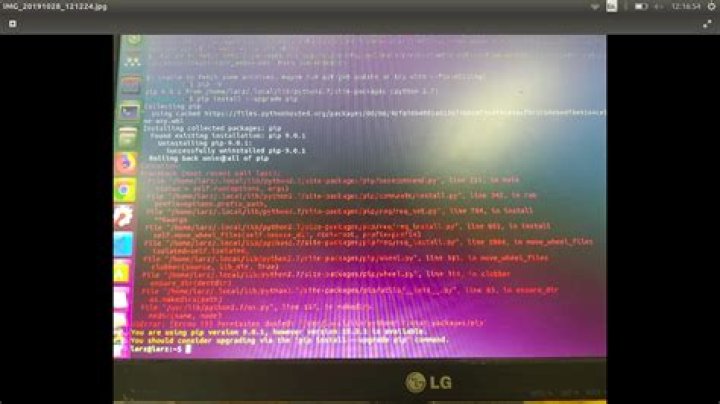
I'm trying to upgrade pip into the newest version (old version 9.0.1 and newest version 19.3.1. using the following commands.
pip install --upgrade pip
sudo apt-get upgrade pip
But it won't upgrade it with the following error:
**$ pip install --upgrade pip**
Collecting pip Using cached
Installing collected packages: pip Found existing installation: pip 9.0.1 Uninstalling pip-9.0.1: Successfully uninstalled pip-9.0.1 Rolling back uninstall of pip
Exception:
Traceback (most recent call last): File "/home/larz/.local/lib/python2.7/site-packages/pip/basecommand.py", line 215, in main status = self.run(options, args) File "/home/larz/.local/lib/python2.7/site-packages/pip/commands/install.py", line 342, in run prefix=options.prefix_path, File "/home/larz/.local/lib/python2.7/site-packages/pip/req/req_set.py", line 784, in install **kwargs File "/home/larz/.local/lib/python2.7/site-packages/pip/req/req_install.py", line 851, in install self.move_wheel_files(self.source_dir, root=root, prefix=prefix) File "/home/larz/.local/lib/python2.7/site-packages/pip/req/req_install.py", line 1064, in move_wheel_files isolated=self.isolated, File "/home/larz/.local/lib/python2.7/site-packages/pip/wheel.py", line 345, in move_wheel_files clobber(source, lib_dir, True) File "/home/larz/.local/lib/python2.7/site-packages/pip/wheel.py", line 316, in clobber ensure_dir(destdir) File "/home/larz/.local/lib/python2.7/site-packages/pip/utils/__init__.py", line 83, in ensure_dir os.makedirs(path) File "/usr/lib/python2.7/os.py", line 157, in makedirs mkdir(name, mode)
OSError: [Errno 13] Permission denied: '/usr/local/lib/python2.7/dist-packages/pip'
I need to install keras. While I was installing it asked me to upgrade pip. When I try to upgrade pip I'm getting above errors
42 Answers
Here's my number one tip: Do not use sudo with pip. You don't need it.
Instead, use a user-level Python distribution installed via pyenv. That way you don't risk yourself messing around with system-level frameworks (and hence creating a problem removing dependencies etc.).
Install Pyenv
All you have to do is:
- Run the
pyenvinstaller - Follow the instructions
- Install the Python versions you need
- Choose which Python version you want to use for a given directory, or globally
For example, to install 3.7, check which versions are available:
pyenv install -l | grep 3.7Then run:
pyenv install 3.7.4Switch to the new version
Now, you can choose your Python version:
pyenv global 3.7.4This switches your python to point to 3.7.4. If you want the “old” system python, run:
pyenv global systemTo check which Python versions are available, run pyenv versions.
Upgrade pip
Once you've switched to a Pyenv version, you can run pip without sudo, and install/upgrade packages easily — without interfering with your system Python:
pyenv global 3.7.4
pip install --upgrade pip
pip install numpy
Do not use apt-get to update pip. The newest version of pip available through apt-get is old.
Quick solution:
As @kenorb is saying in the comments, you can upgrade pip using pip with sudo like this:
sudo pip install --upgrade pipProper solution:
Use pyenv - see the answer by @slhck


