Unable to run vbscript file on windows 10
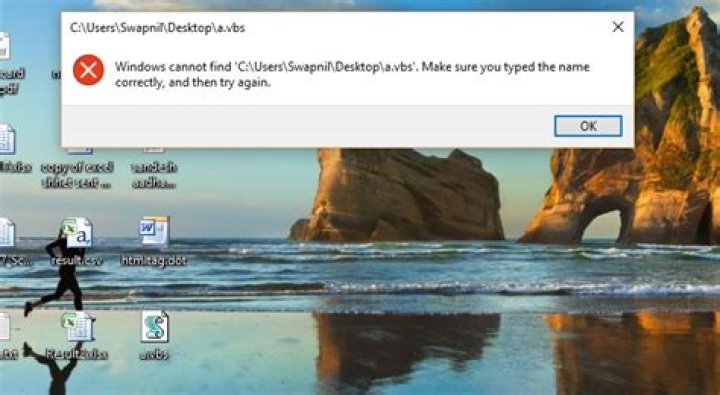
When I try to run a .vbs file on my Windows 10 laptop it shows the following error.
3 Answers
I can think of two reasons this might happen:
- The script is downloaded from the internet, so it is blocked. Unblock it via properties on the file.
- You have some sort of anti-malware installed that blocks access to the file. Check your logs for any information.
EDIT
Based on comment from Peter (thank you for that), I edit my answer.
You probably either rights issue - you don't have rights to execute your script on your desktop or you maybe the scripting is blocked altogether? More information is needed from you - what kind of script is that? The best would be to provide the source code + what are the rights on the directory (or directory chain) where you try to execute your code.
This is in case you need to elevate the rights of your script which is not yet your case:
You have to have privileges to run your script. You can either start your command prompt as Administrator
Or
use runas /noprofile /user:mymachine\administrator your_script.vbs from your user command line
Or
Finally you can add UAC directly to your script:
This is source code from Microsoft technet:
'---------------------------------------
'Elevate this script before invoking it.
'25.2.2011 FNL
'---------------------------------------
bElevate = False
if WScript.Arguments.Count > 0 Then If WScript.Arguments(WScript.Arguments.Count-1) <> "|" then bElevate = True
if bElevate Or WScript.Arguments.Count = 0 Then ElevateUAC
'******************
'Your script goes here
'******************
'-----------------------------------------
'Run this script under elevated privileges
'-----------------------------------------
Sub ElevateUAC sParms = " |" If WScript.Arguments.Count > 0 Then For i = WScript.Arguments.Count-1 To 0 Step -1 sParms = " " & WScript.Arguments(i) & sParms Next End If Set oShell = CreateObject("Shell.Application") oShell.ShellExecute "wscript.exe", WScript.ScriptFullName & sParms, , "runas", 1 WScript.Quit
End Sub Check to see if the file is on the "Public Desktop". If it is, it will appear on every user's visual "desktop", but Windows will fail to find it in the user Desktop folders.


