Unable to login to phpmyadmin with the root user
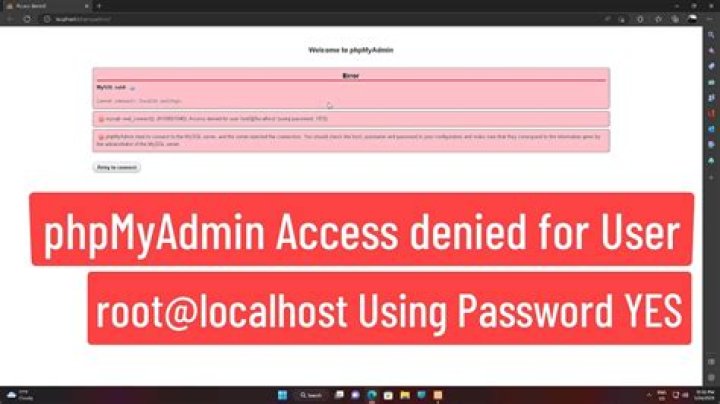
I have a root user in mysql-server on the Ubuntu server. I am unable to login to phpmyadmin with the root user and password. I was trying to find the configuration file but could not locate it. Help would be appreciated.
Thanks in advance
110 Answers
You have to reconfigure phpmyadmin, reset MySQL password.
- Reconfigure phpmyadmin
- Ctrl + Alt + T to launch terminal
- sudo dpkg-reconfigure phpmyadmin
- Connection method for MySQL database for phpmyadmin: unix socket
- Name of the database's administrative user: root
- Password of the database's administrative user: mysqlsamplepassword
- MySQL username for phpmyadmin: root
- MySQL database name for phpmyadmin: phpmyadmin
- Web server to reconfigure automatically: apache2
- ERROR 1045
- ignore
- sudo dpkg-reconfigure mysql-server-5.5
- New password for the MySQL "root" user: mysqlsamplepassword
- Repeat password for the MySQL "root" user: mysqlsamplepassword
Wish it helps!
Have a nice day!
1I encountered a similar problem in Ubuntu 14.04 using MariaDB. Instead of trying to change everything I just created a new user.
mysql -u root -pEntered the root password Created a new user using the following command:
CREATE USER 'newuser'@'localhost' IDENTIFIED BY 'some_very_complex_password';Granted all permissions to newuser:
GRANT ALL PRIVILEGES ON * . * TO 'newuser'@'localhost';
FLUSH PRIVILEGES;
You can then log on using newuser in phpMyadmin. I would strongly encourage you to only grant specific privileges to newuser instead of Carte Blanche privileges but it's your own funeral.
1To log in as root in phpmyadmin:
echo "UPDATE mysql.user SET plugin = 'mysql_native_password' WHERE user = 'root' AND plugin = 'unix_socket';FLUSH PRIVILEGES;" | mysql -u root -pFound at the end of this tutorial
Worked for me :)
3By "rootuser" you mean the MySQL root user, not the system root user, right?
During the installation of mysql-server, the MySQL root account is created and its password is stored in /etc/mysql/debian.cnf.
The configuration files of phpMyAdmin are stored in /etc/phpmyadmin.
Might for some reason the AllowRoot option be set to False? See the documentation.
I installed MySQL using synaptic manager. Didn't have to enter a root password. The command:
mysqladmin -u root password NEWPASSWORDworked. I was able to login into PhpMyAdmin immediately.
I recently came across a very similar issue with Ubuntu 12.04. I just couldn't seem to login with root & no password. I set the AllowNoPassword setting to TRUE in the config. Later I found out that I was editing the wrong config.inc.php file to add the AllowNoPassword setting.
Edit:
/etc/phpmyadmin/config.inc.php
Not:
/usr/share/phpmyadmin/config.inc.php
I believe the first is the debian local config file, which will override the usr version.
well , hello first download the phpmyadmin from here :
then extract the downloaded (rar,zip) to : {INSTILLATION_PATH }\laragon\etc\apps rename the folder to phpmyadmin .
now go to
and your there :) .
if you want to login to the phpmyadmin you need to search in the phpmyadmin folder for a file called config.sample.inc and duplicate it and rename it to config.inc open the file and search for : $cfg['Servers'][$i]['AllowNoPassword'] = false; and set it to true : $cfg['Servers'][$i]['AllowNoPassword'] = true; save the file and DONE you can login using username of : root
It seemed logical to me to keep things at the simplest level possible:
mysql -u root -p
GRANT ALL PRIVILEGES ON *.* TO 'phpmyadmin'@'localhost' WITH GRANT OPTION;
FLUSH PRIVILEGES;
Thus phpmyadmin user which was created during the installation manages everything, including create databases.
Me too,
echo "UPDATE mysql.user SET plugin = 'mysql_native_password' WHERE user = 'root' AND plugin = 'unix_socket';FLUSH PRIVILEGES;" | mysql -u root -p
This is good
1

