Ubuntu Chrome - Reset Font Settings
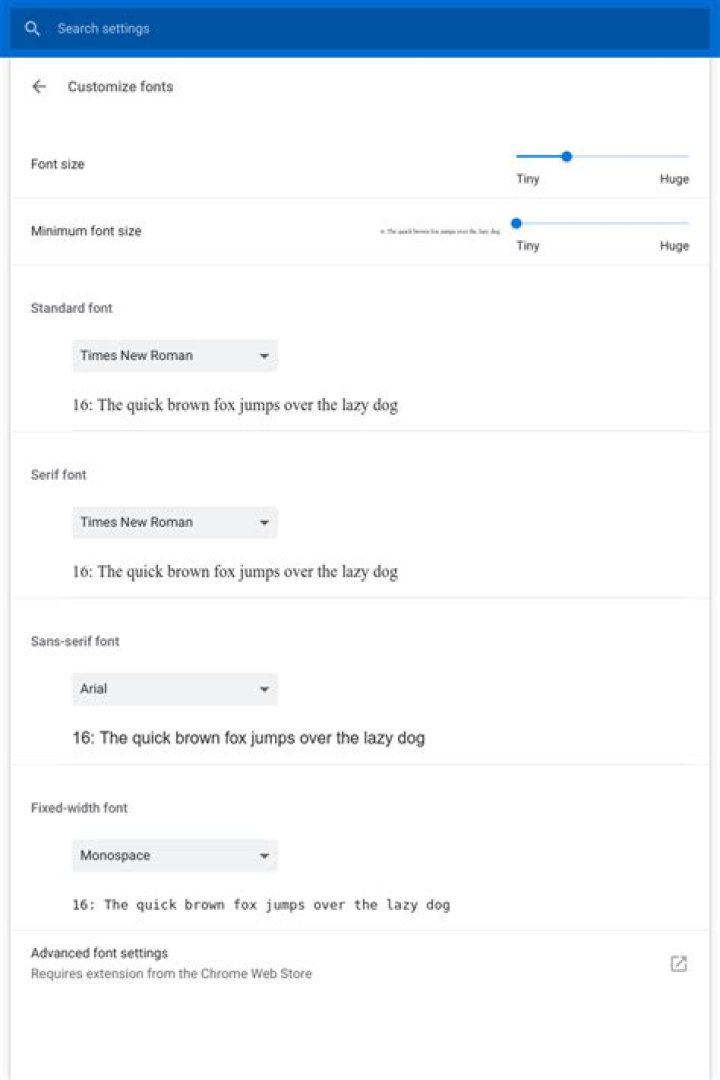
I was playing around with the font settings of my chrome on ubuntu 18.04. Now they are messed up and I can't find my screenshot of the initial settings. Can some one of you share their default font settings of chrome.
Thanks! :)
3 Answers
So I could solve the issue without knowing the default values like so.
bash
sudo apt-get purge google-chrome-stable # uninstall chrome
sudo rm -r .config/google-chrome
And reinstalled the .deb package form google. Now everything looks good 😁👍
Chrome Appearance:
Customize Fonts:
You don't need to know the original fonts, here's how to do it:
First, close Google Chrome, so your changes don't get overwritten.
Go to your Google Chrome settings folder, in Ubuntu, i found it in .config/google-chrome
In this folder, open up the file Default/Preferences,
Search and replace references to your fonts in the file with the string "Custom". In my case they were all at the end of the file, so it was easy to replace.
After this, open up Google Chrome again, and your fonts will be reset.


