Ubuntu 16.04 no longer booting on Lenovo Y70 Touch Error "Verification failed: (0x1A) Security Violation
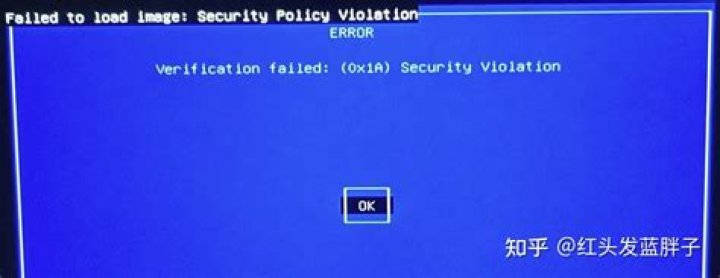
I have Ubuntu installed as the sole operating system on a Lenovo Y70 touch laptop. It was version 16.04. After a recent update, the system would not start. Instead, I am presented with a blue screen saying verification failed: (0x1A) Security Violation. I can't fire up a terminal, boot from a live USB or use an alternate screen.
I went into the BIOS and attempted to disable UEFI. But the change won't stick. It always reverts to a UEFI boot.
I don't have a recovery disk, and Lenovo won't provide a way to revert to Windows. Has anyone come across this problem before?
1 Answer
Turn off secure boot in the BIOS/UEFI. Also try to save settings or press F10 and choose yes at the save dialog.
Edit: On a second thought this could be solved by signing/trusting the bootloader, kernel and kernel modules for UEFI Secure Boot too.
But to do this one has to find a live media which will still boot the machine. Then create a chroot environment, do all the complex work needed to prepare a secure boot. Then save the results to the internal file system.
Then reboot and see what happens. If issues arise (yes there may be problems even if you have related experience) you have to start it over and check what went wrong.
This may take days or weeks to solve it this way. If you wish to learn by this it may be worth doing, otherwise it's just a waste of time.
I guess the difficulty is way beyond intermediate level sysadmin skills.
Nevertheless, I've found some nice Ubuntu based documentation how to do the secure boot part, in case you chose to try.
UEFI Secure Boot - UbuntuKey generationSecure boot signingDKMS part for kernel modules
3

