Terminal not listing Applications folder
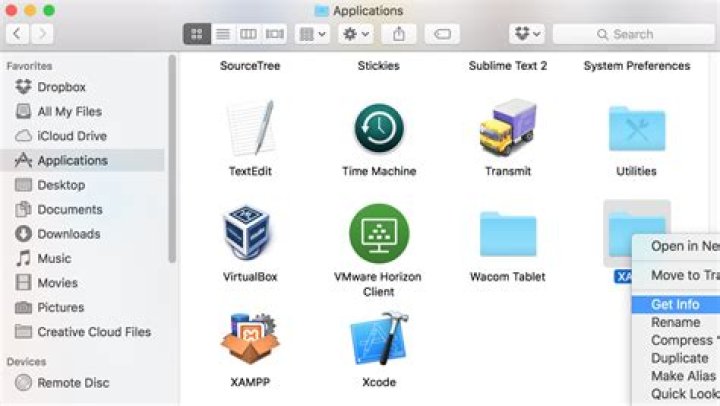
The problem that I am running into is that when I cd into my Applications folder and try to ls to see all my folders it doesn't show anything. This is the only directory that does this as I am able to go to any of my other directories and use the usual commands. Another thing that I tried was to jump to a path from my home directory to a folder within the Applications folder and I get No such file or directory. I input the path both with and without quotes and still nothing:
cd ~/Applications/MAMP/bin
and
cd ~/'Applications/MAMP/bin'
I am using the standard Terminal provided and haven't messed around with any settings. Thanks in advance!
63 Answers
I had to type in:
cd /to bring me to the root directory. Then you type in
lsand it displays all of the applications.
I think that it puts all of your applications for all the users into the root folder directory so all of the different users can access them. My personal folder/applications was empty.
I was able to display the applications on my applications folder in the terminal window by entering the cd ~ which took me to the main user directory. From there I entered cd .. and it took me a step back where, after entering the ls command I was able to see the list of users like “guest” and my own main user profile. From there I entered cd .. one more time and it took me all the way back to Macintosh HD. Entering the ls command revealed the applications folder among others and a cd applications followed by a ls command showed all my applications.
This answer only addresses how to work around the problem. Since many users entering relevant queries on Google have a problem to fix ASAP. This allows you to be able to enter into your targeted directory from the command line. Some finding this thread may have ran into this problem where you don't see the application that you need
You can find the folder on your graphic interface then right click and select Get Info
Then copy the link provided (from the Get Info)
Now go back into the terminal and cd into it. For example, if you were working on a WordPress project (as in my example) you would
cd /Applications/XAMPP/xamppfiles/htdocsThis means when you are in the terminal, type cd, then hit space, then paste the link you copied, then hit enter.
2

