temporary static ip/link local address
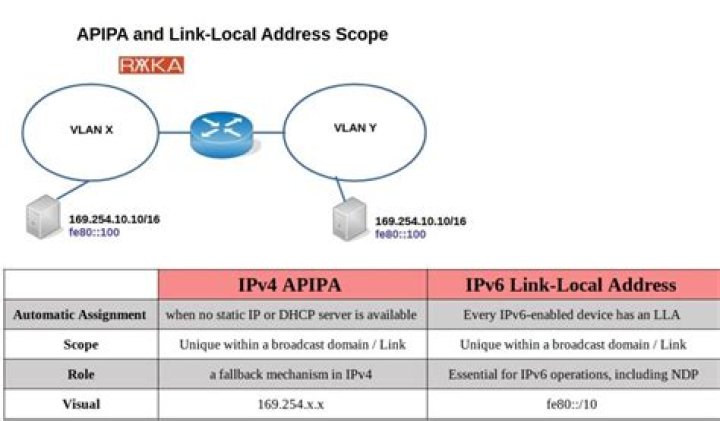
i assigned a temporary ip address to my eth0 interface using this command
sudo ifconfig eth0 169.254.1.1 netmask 255.255.0.0
as described here
it works fine, when i do ifconfig it shows the newly assigned ip address.
eth0 Link encap:Ethernet HWaddr 5c:26:0a:4f:32:11 inet addr:169.254.1.1 Bcast:169.254.255.255 Mask:255.255.0.0 inet6 addr: fe80::5e26:aff:fe4f:3211/64 Scope:Link UP BROADCAST RUNNING MULTICAST MTU:1500 Metric:1 RX packets:774 errors:0 dropped:0 overruns:0 frame:0 TX packets:1160 errors:0 dropped:0 overruns:0 carrier:0 collisions:0 txqueuelen:1000 RX bytes:170598 (170.5 KB) TX bytes:218967 (218.9 KB) Interrupt:20 Memory:f6900000-f6920000 i expected this ip address should hold until i flush it out. but soon afterwards it is reset
eth0 Link encap:Ethernet HWaddr 5c:26:0a:4f:32:11 inet6 addr: fe80::5e26:aff:fe4f:3211/64 Scope:Link UP BROADCAST RUNNING MULTICAST MTU:1500 Metric:1 RX packets:784 errors:0 dropped:0 overruns:0 frame:0 TX packets:1202 errors:0 dropped:0 overruns:0 carrier:0 collisions:0 txqueuelen:1000 RX bytes:174678 (174.6 KB) TX bytes:228013 (228.0 KB) Interrupt:20 Memory:f6900000-f6920000 i only need this ip address temporarily and rather not change my /etc/network/interfaces which reads
auto lo
iface lo inet loopback
i am on 12.04, any suggestion would be helpful thanks
UPDATE
this is my motive. i want to transfer some large files over ethernet. I have laptops with Gigabit capable adapters but slow routers. When both machines are windows i can simply hook them up with a network cable and after some time when they dont find a dhcp server they revert to link-local address of range 169.254.x.x/16 and file transfers would just work. Unfortunately in Ubuntu this does not happen. I have to manually set an ip address. Then the machines can ping each other and can transfer files, but only for a short interval of time.
One thing I can do is keep issuing sudo ifconfig eth0 ... every 30 secs or so to keep things working but this is pretty annoying. I have to do this kind of transfers quite frequently so would rather not take the hassle of modifying etc/network/interfaces everytime.
2 Answers
You have a GUI method to do this:
Type "network" in your dash and click on "Network Connection". Click on "edit" after clicking on the present network connection in "wired connection".
In the IPv4 settings, set your method as "manual" and set the IP address, gateway and netmask address as required.
This will set the IP address manually.
To know your IP address, netmask and gateway address, type this on a terminal:
nmcli dev list iface eth1 | grep IP4Following @Jobin's answer I made a discovery that was easier.
In Network management under wired connection tab -> IPv4 settings, you can change method to Link Local (from Automatic DHCP). for a quick file sharing session, this is easier as you dont have to enter a manual IP address everytime.
1

