tail: not found on a Chroot Directory, how i enable it?
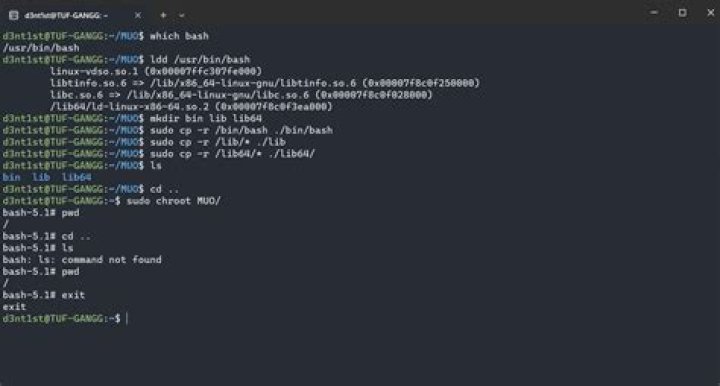
I'm really a noob on Ubuntu, I'm facing a simple problem that I don't find anywhere, I follow this tutorial to make an ssh jail directory
I know that the user will not have some commands but I want to enable some to the user, in this tutorial have these commands to enable this :
# cp -v /bin/ls /home/test/bin/
# cp -v /bin/date /home/test/bin/
# cp -v /bin/mkdir /home/test/bin/
and there is too find the libraries for this commands :
ldd /bin/ls
# cp -v /lib64/{libselinux.so.1,libcap.so.2,libacl.so.1,libc.so.6,libpcre.so.1,libdl.so.2,ld-linux-x86-64.so.2,libattr.so.1,libpthread.so.0} /home/test/lib64/
I managed to make this commands work successfully but the "tail" command I try everything but nothing is working.
I use the ldd /bin/tailf ( tailf is the command? )
it displays some libraries I use the cp command and is not working, what I'm doing wrong?
1 Answer
On Ubuntu, the command tail is located in /usr/bin/tail ( see also package information from related post ), so you want to do
ldd /usr/bin/tailNote that in addition to copying the commands, you should either link or copy some of /lib directories, since some of the binaries rely on shared libraries stored there, in particular /bin/sh relies on that. See also: Change /bin/sh link temporarily


