Some keyboard keys in Lenovo Ideapad 320E-15IKB D not working after Ubuntu 18.04.1 LTS installation
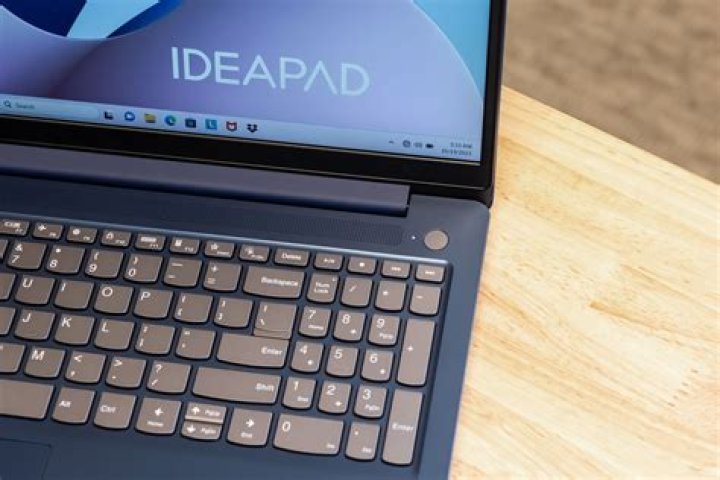
- Laptop: Lenovo Ideapad 320E-15IKB D,
- Memory: 8 GB,
- Processor: Intel® Core™ i5-7200U CPU @ 2.50GHz × 4,
- Graphics: Intel® HD Graphics 620 (Kaby Lake GT2),
- OS Type: 64-bit,
- HDD: 1 TB.
I bought this laptop with pre-installed Windows 10. Now I have installed only one OS, Ubuntu 18.04.1 LTS. Everything is going smooth but some keys like "Q", "P", "Tab", "Backspace" etc are not working at all, whereas the onscreen keyboard is working fine.
I have tried enough by changing keyboard layout and many other ways as described on internet to get the solutions, but no result. Region & Language in the system are currently set as follows,
- Language: English (United States),
- Formats: United States,
- Input Sources: English (US).
How can I fix debug this issue?
12 Answers
You can try reconfigure your keyboard defaults and select your right model of keyboard:
sudo dpkg-reconfigure keyboard-configurationThis happened to me on Ubuntu 20.10 using latest kernel 5.8
Lenovo Ideapad keyboard
Important: previously I had set a keyboard key activated by AltGr (right Alt) + another key. Apparently, AltGr brings all kinds of weird characters, avoid using it.
Two separate solutions for it:
Go into Accessibility Options, enable and disable Sticky Keys.
This brought my "s" key back, but the problem came back after a while.Go and edit that keyboard hotkey you added before, use anything else other than AltGr (never use this key) In this case, I re-assigned the same hotkey to RightShift+Keypad8
After doing this, my "s" "-" and "+" keys were back.If none of this happens, use terminal command xev and see what happens when you press a key that works, and see what happens when you press the problematic key.
If the problematic key causes a two-line array full of 0 0 0 0 0 0 (zeros) to appear, then it is being treated as function key for whatever reason.
I've noticed that right when I boot into Linux and I press the Fn keys on my laptop there's a message that appears saying "Sticky Keys Enabled". I'm not sure if that's the correct functionality of it. Might be a bug.


