Simple question: Is there a pre-defined Japanese laptop keyboard layout for Ubuntu 18.04.3?
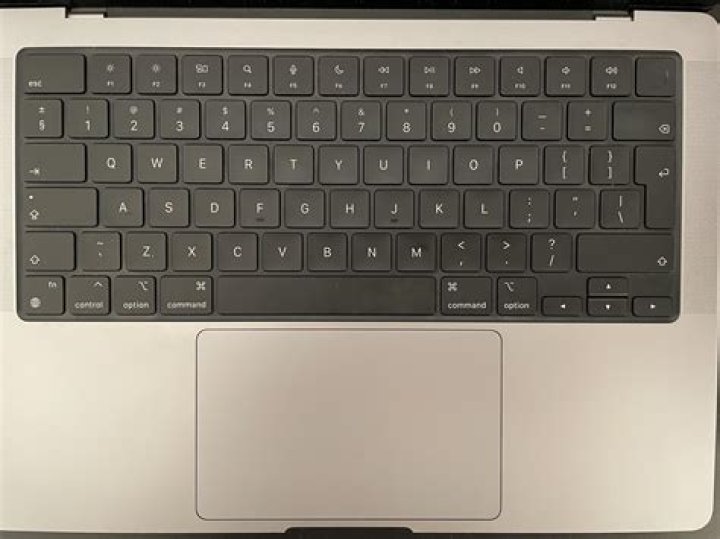
I've installed English Ubuntu 18.04.3 on the Japanese laptop Panasonic Let's Note CF-LX6 (late 2016), and the keyboard layout is quite different from a European one. My lower row looks like this:
<LCTL> <LWIN> <LALT> <MUHE> <SPCE> <HENK> <HKTG> <MENU> <RCTL>
I also have no key between Left-shift and Z, but instead one additional key directly left of Right-shift, and one directly left of Back Space.
After installing, I added a Japanese keyboard in Input Method in Settings, but when checking the keyboard layout GUI, I see that the "Japanese" keyboard is a typical European keyboard with just slightly different symbols on it – the basic layout is still the same.
When checking in the keyboard layout GUI, I find that:
1) My actual keys MUHE, HENK and HKTG, and the two extra keys mentioned above – the one directly left to Right-shift, and the one directly left to Back Space – do not respond to any key in either English or Japanese keyboard layout.
2) The keyboard layout keys SUPER_R and SUPER_L do not respond to any actual key on my keyboard. (i.e. they are unmapped)
I've checked with XEV that they unmapped keys do generate an event, with a keycode (but not all do – for one thing, just zooms out all the windows and generates no keycode), so I do know that I can manually remap them in XKB (as in this thread and other helpful ones), but it involves quite much (specifically as I need to disable the LWIN key function to get its keycode), and I would also like this to be recognized outside X, in which case XKB would not help.
My point is that this keyboard layout is not at all unusual – in fact, it's very common on Japanese laptops. I don't think I'm the first to install (English) Ubuntu on a Japanese laptop, so my question is whether I really need to do through all the hoops to re-map everything manually, or if there is a simple something I can do for Ubuntu to accept (hopefully outside of X) that my keyboard is a Japanese laptop keyboard layout? I found in this thread an (impopular) response that I could reinstall and choose 'detect keyboard layout' on install. Is a re-install really the easiest choice?
101 Answer
The first part - using the ibus-mozc sometimes the system (or you) confuses which layout to use. To make it right for Japanese keyboard layout.
sudo vi /usr/share/ibus/component/mozc.xmlAnd the edit the content of
<layout>default</layout>into
<layout>jp</layout>And also edit the file
sudo vi /etc/default/keyboardAnd the content should be like:
BACKSPACE="guess"
XKBMODEL="pc105"
XKBLAYOUT="jp"
XKBVARIANT=""
XKBOPTIONS=""
Save them and reboot.
The second part using unused keys as modifier keys.
sudo vi /usr/share/X11/xkb/symbols/inetYou get the lines at about 100th line.
key <HENK> { [ Henkan ] };
key <MUHE> { [ Muhenkan ] };
And change these, for example... Hyper_L and Meta_L
key <HENK> { [ Hyper_L ] };
key <MUHE> { [ Meta_L ] };
Then your and keys will be assigned (when you reboot the computer.)
5

