Separate world files for each person's profile using the minecraft launcher on that computer
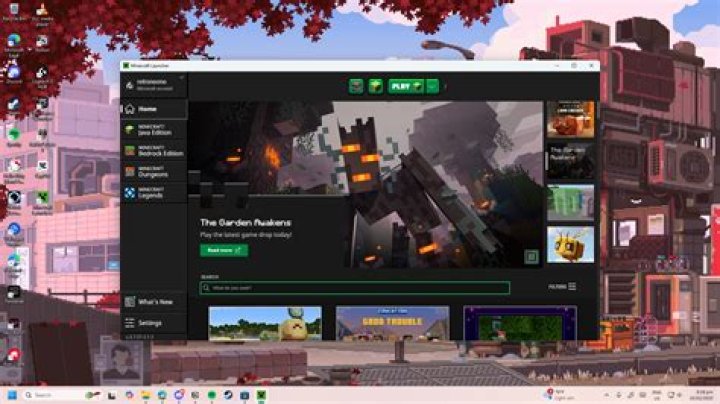
I have two friends who often play minecraft on my computer. They don't have their own accounts, but they want their worlds separate from mine without the hassle of moving around save files. I have already set up two new profiles like this:
Jack
Ethan
Joe
Jack has one world, spartacus. Ethan has two worlds, City and Tests. I have one world, Pure survival. I want them and me to be able to get to their worlds, and only our worlds when we select our profiles in the new launcher, no save file moving involved. How can I do this? I am confident that this is able to be done in the new launcher, but correct me if I'm wrong. As always, thanks! Also here is what I have already tried: I tried making a main-Minecraft file in the roaming directory, which contained three folders, each labeled with the name of me and my friends. Inside each of these files is a copy of the .minecraft folder, each saves folder containing each of me and my friends worlds. I was extremely sketchy about this though, as I didn't know if it would corrupt the game.
Edit: Turns out sharing an account is against the EULA.
13 Answers
You can set the Minecraft Directory in the Profile Editor.
Go to "Edit Profile", and check "Game Directory" for each profile. The game will create new folders for saves, resourcepacks and logs. It will continue to use the appropriate version you selected for the profile (found in the "versions" folder), rather than download the game files again.
You can then move the saves you have to the save folders for the correct profile.
5First open your roaming folder which is easiest by typing %appdata%
you will see your .minecraft folder in there that will be your profile and where your worlds are saved.
now in the roaming make a new folder for both of your friends.
now go into the launcher press new profile label it their name and and the same for your other friend.
check the box in launcher for "game directory" and where it says .minecraft in the game directory ending after roaming type exactly what you named the two folders
then open each of your friends profiles then close it when you get to the menu so that way it will put the all the files they will need!
then every time they save a world inside there profile it will go into their saves, if they are in their profile
(they do not need there own account only yours is needed)
if you are unclear about anything ask and ill help! :D
Why not just run a local server? You could have 3, use the same client, and whenever one of your friends logs on, he just starts his own server. This also allows for you to use easy plugins, specially if running a bukkit server (its REALLY easy). Comment if you wanna know how to.
4

