runas with GUI popup?
In Windows Server 2012R2, I've added a context menu item in Explorer to allow me to open certain files with a specific program as Administrator. I use this command:
"%SystemRoot%\system32\runas.exe" /user:Administrator "c:\path\program.exe \"%1\""
It works just fine but the request for the password comes up in a console window and then the program launches after that. It's superficial but is there a way to cause the UAC password request to appear graphically (as you might see when trying to launch any other program as Administrator) rather than opening a console window? I know there are some third party tools out there to help with UAC, but I'm wondering if there are any built-in functions to do this.
12 Answers
Hold the ⇧ Shift key, right-click the application, and choose Run as different user.
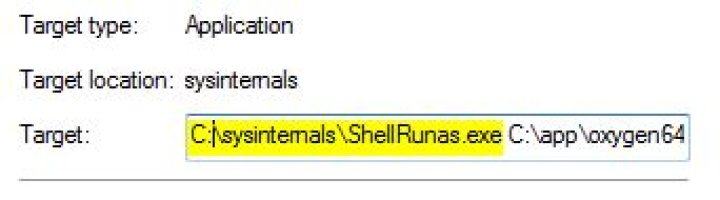
7You can use ShellRunAs from the Sysinternals Toolbox. You can even register a shell extension for your Windows Explorer.
If you want to run a specific program as a different user every time, create a shortcut and edit the Target in the properties of the shortcut.


