Quickly select multiple fields from "PivotTable Field List"
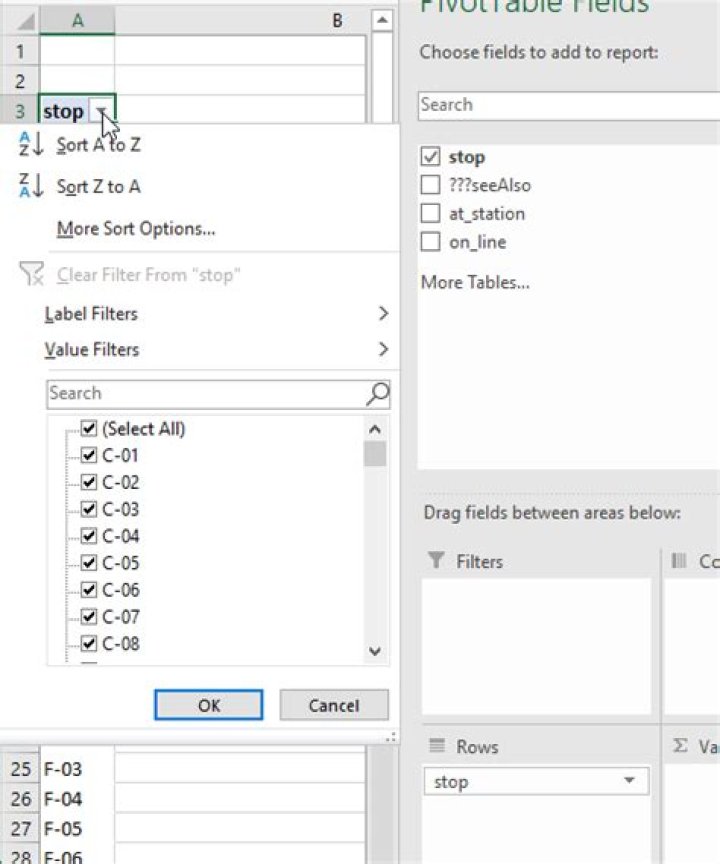
Is there a way to quickly select multiple fields from the "PivotTable Field List"? (operation in PivotTable only, not touching the raw data)
Taking dataset “Tokyo Metro Stops” as an example. There are 180 “stops”. I want to select and limit the table for these stops only.
C-03, C-06, C-08, C-16, C-18, F-01, F-03, F-07, F-11, G-03, G-06, G-07, G-11, G-12, G-13, G-16, G-18, G-19, M-07, M-09, M-13, M-15, M-19, M-21Instead of select and click them one-by-one. What is the fastest way to multiple select them in one-go?
Thank you.
Link to sample data:
1 Answer
Create a new table in your workbook that has one column of the items you want to filter on. Let's call it FilterList, like this:
Use XLOOKUP to create a new column in your main data source. It will look something like this:
=XLOOKUP([@stop],FilterList[FilterList],FilterList[FilterList],"",)<>""If you don't have XLOOKUP, you can use VLOOKUP instead.
Now you have a TRUE/FALSE field that you can use in the Filters area of your pivot table.


