prevent chrome from switching to MSIE
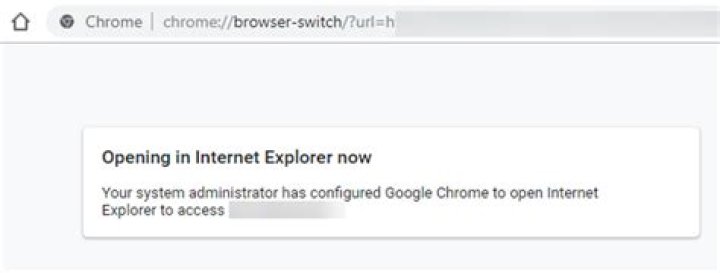
I stumbled upon a website that calls chrome://browser-switch to send itself to MSIE. I would like to prevent this from happening, or at least having the choice. where can I find the setting for this?
To be more specific, the web page does a redirect (http 302) to chrome://browser-switch/?url=http%3A%2F%2Fwww.someurl.com%2F and then the web page is opened in internet explorer and the tab closes. I really do not like not being able to control this. And internet Explorer is not my default browser. Chrome is.
I have looked through chrome://flags and chrome://settings without luck
1 Answer
Behavior
- You open a corporate site. For example,
- You will see a message: "Your system administrator has configured chrome to open an alternate browser to access"
- Your IE 11 will be opened and your chrome tab will be closed:
Why this is happening
- The behavior is controlled by the Chrome Policies (chrome://policy/)
- When Policy is setup, chrome://browser-switch protocol is used to redirect to IE
- The list of sites that will be forced to use IE 11 is listed in the registry, under Computer\HKEY_LOCAL_MACHINE\SOFTWARE\Policies\Google\Chrome\BrowserSwitcherUrlList
- You might need local admin permissions to modify or remove these registry keys :


