Pass autocomplete only works directly after installing oh-my-zsh
TLDR: Auto-complete only works directly after installing oh-my-zsh. If I close and re-open the terminal, auto-complete no longer works.
I'm running MacOS BigSur M1. I'm using the Unix Pass manager, which is used with the pass command. The autocomplete bundled with oh-my-zsh doesn't seem to be working properly.
Here's what I'm doing.
- Open terminal (Hyper, iTerm, whatever; doesn't seem to matter).
- Install Zsh.
- Install Oh-My-Zsh.
- At the point,
passauto complete is working fine. Sopass+TABwill list my password options. - If I close the terminal and then open it back up again, the auto complete no longer works.
I can uninstall oh-my-zsh with uninstall_oh_my_zsh, reinstall it with the sh -c "$(curl -fsSL )", close the terminal, and then reopen it again, and pass autocomplete works again! But then as soon as I close that terminal window, I'll lose the autocomplete.
I've no idea how to even start degugging this. I'm not sure if it's an issue with my installation of ZSH, or something to do with MacOS?
I originally posted this issue on the Discussion tab in the Oh-my-zsh GitHub repo a couple weeks ago, but it hasn't gotten any answers. It looks like this problem could be similar to another one posted here, but it hasn't received any answers.
02 Answers
The postAutocomplete in zsh (with oh-my-zsh) not working #353terminates with the following summary:
I'm not going to pretend to know anything about
compinit, but some experimentation has shown that running it clobbers any auto completion that has already been configured. This coupled with tons of recommendations on the web to run it to "fix" autocompletion issues appears to have led to multiple projects including it in their auto completion initialization files (two that I use: nvm and sdkman appear to have done so) -- which results in the latest one to load clobbering the configuration of all those before it!
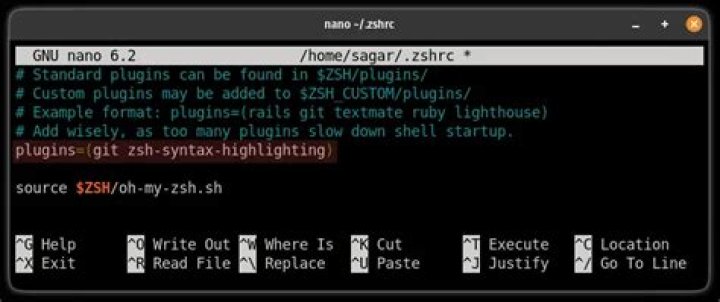
The author then added the following lines to .zshrc,
which fixed the problem for him and others:
autoload -Uz compinit
compinit -u
# It seems that countless recommendations on the web to run:
# autoload -Uz compinit && compinit

# Have resulted in everyone's zsh autocomplete initialization running that. I have no idea
# what it does, however experimentation has shown that running "compinit" clobbers any
# completions you already had configured. Which totally sucks if you configure auto completion
# for multiple tools in your zshrc
alias compinit="echo no more compinit!"I've just noticed that zsh-completions doc is missing the site-functions folder.
Add before the lines for compinit in your .zshrc : FPATH=$(brew --prefix)/share/zsh-completions:$(brew --prefix)/share/zsh/site-functions:$FPATH
This worked for me on a M1 Mac where I had an issue with pass completion


