Outlook: Show emails from subfolders in main folder
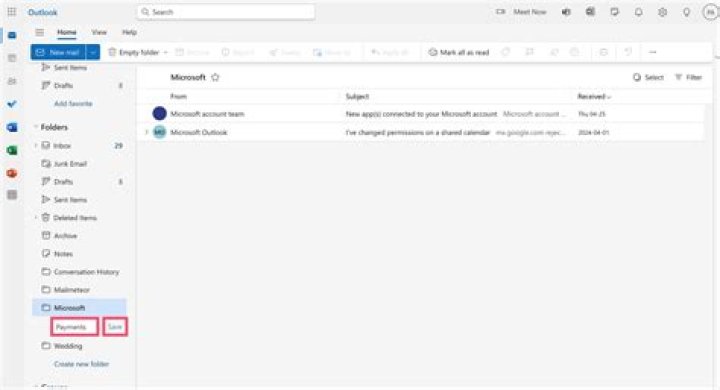
Aside from my inbox, I have other folders I use to categorize my mail. For example, one folder "ProjectA", which has subfolders "Subfolder_IssueA" and "Subfolder_IssueB".
I would like to click on the folder "ProjectA" and see all mails contained in the various subfolders. Is this possible?
Maybe relevant information: I have to move the mails manually to the subfolders, I don't see any way to create a rule for a search folder that can automatically categorize this.
2 Answers
Once you file Emails in different folders (however you filed and moved them), you have to find the relevant email later (another day or time) by using Outlook Search, or by physically moving to the other folder.
You cannot "view" an email that is in Folder A when viewing the Inbox (or any other folder B).
If you have subject matter well organized (best) or content well organized, then Outlook Search will find your emails quite quickly.
Agree with what John said above, Outlook will only show the items in the current folder and we could not see all mails contained in the various subfolders directly in the mainfolder. If you want to quickly find emails you want, Outlook search feature might be suitable to you.


