NIC Teaming under Ubuntu 16.04 - Can only ping DNS servers and nothing else
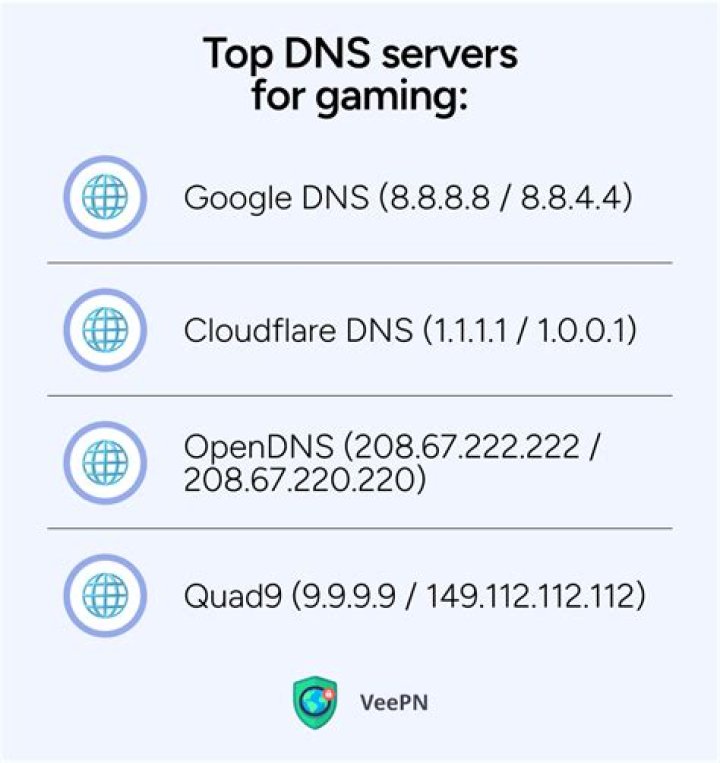
I have a bond setup currently in active-backup configuration. What I am trying to do is setup these two NICs in a configuration that will utilize the majority of bandwidth that both NICs can provide.
Would this be mode 3 (broadcast)?
My current configuration is as such:
# The loopback network interface
auto lo
iface lo inet loopback
# The primary network interface
auto eth0
#eth0:0
iface eth0 inet manual
bond-master bond0
bond-primary eth0
# The secondary network interface
auto eth1
iface eth1 inet manual
bond-master bond0
# Bonding eth0 & eth1 to create bond0 NIC
auto bond0
iface bond0 inet static
address 192.168.1.200
gateway 192.168.1.254
netmask 255.255.255.0
bond-mode active-backup
bond-miimon 100
bond-slaves none
When I check the status I do see:
mlavender@~$ cat /proc/net/bonding/bond0
Ethernet Channel Bonding Driver: v3.7.1 (April 27, 2011)
Bonding Mode: fault-tolerance (active-backup)
Primary Slave: eth0 (primary_reselect always)
Currently Active Slave: eth0
MII Status: up
MII Polling Interval (ms): 100
Up Delay (ms): 0
Down Delay (ms): 0
Slave Interface: eth0
MII Status: up
Speed: 1000 Mbps
Duplex: full
Link Failure Count: 0
Permanent HW addr: 9c:5c:8e:4f:1b:87
Slave queue ID: 0
How would I configure this so that both NICs are being utlized at the same time so I can effectively transmit more than 1GB?
Additional information
I have a Netgear GS724T ProSafe switch. I have two ports configured in a LAG and it is enabled. It does support – IEEE 802.3ad static and/or dynamic link aggregation
From what I can tell, I can ping the hosts defined as DNS servers. Local gateway and both Google DNS servers. I cannot ping anything else. Also of course running apt-get update fails because name resolution issues.
Any ideas?
UPDATE
Tried running tracepath
tracepath 8.8.8.8
mlavender@~$ tracepath 8.8.8.8 1?: [LOCALHOST] pmtu 1500 1: 192.168.1.254 0.831ms 1: 192.168.1.254 0.914ms 2: xxx.xxx.x.xxx 168.148ms 3: 71.149.77.116 5.205ms 4: 75.8.128.144 4.537ms 5: 12.83.68.145 6.995ms 6: 12.122.85.197 10.035ms asymm 7 7: no reply 8: no reply 9: no reply
10: no reply
I can ping Google DNS servers. I can ping anything on the LAN. Updated interfaces file:
# This file describes the network interfaces available on your system
# and how to activate them. For more information, see interfaces(5).
source /etc/network/interfaces.d/*
# The loopback network interface
auto lo
iface lo inet loopback
# The primary network interface
auto eth0
iface eth0 inet manual
bond-master bond0
bond-master eth0
# The secondary network interface
auto eth1
iface eth1 inet manual
bond-master bond0
# Bonding eth0 & eth1 to create bond0 NIC
auto bond0
iface bond0 inet static
address 192.168.1.200
netmask 255.255.255.0
network 192.168.1.0
broadcast 192.168.1.255
gateway 192.168.1.254
bond-mode 802.3ad
bond-miimon 100
bond-slaves none
I did also go into the switch and rather than having the LAG type set to static, I switched it to LACP.
91 Answer
Ultimately the fix for this was to edit my resolv.conf file. Once I did this, I rebooted the server, and voila! Magic!
Thanks for all the help on this. For anyone who needs it, this will get you two NICs bonded together in a working LAG. Make sure your switch it setup for LACP also.
# This file describes the network interfaces available on your system
# and how to activate them. For more information, see interfaces(5).
source /etc/network/interfaces.d/*
# The loopback network interface
auto lo
iface lo inet loopback
# The primary network interface
auto eth0
iface eth0 inet manual
bond-master bond0
# The secondary network interface
auto eth1
iface eth1 inet manual
bond-master bond0
# Bonding eth0 & eth1 to create bond0 NIC
auto bond0
iface bond0 inet static
address 10.0.0.90
netmask 255.255.255.0
network 10.0.0.0
broadcast 10.0.0.255
gateway 10.0.0.250
dns-nameserver 10.0.0.250 8.8.8.8 8.8.4.4
bond-mode 4
bond-miimon 100
bond-slaves all

