Need help configuring apache on Ubuntu 20.04
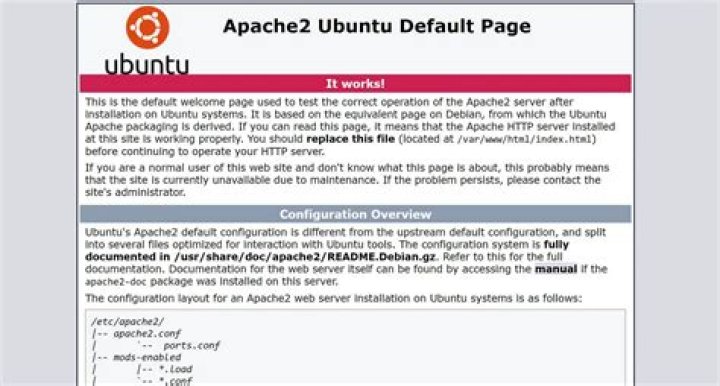
I successfully installed the Apache webserver on my Ubuntu 20.04 laptop.
Now I need to know how to change the configuration file(s) so that I can place my CGI scripts (which will be in Perl).
From my time using Apache2.4 under Windows 10, it was easy. I just made needed changes to the httpd.conf file. Under this configuration, things are very different so I am not sure how to make the needed changes. I looked at the apache2.conf file and the declaration for the ServerRoot directive was commented out.
While I was reading up on how to install apache I saw a statement which read "Documentation for the web server itself can be found by accessing the "manual" if the apache2-doc package was installed on this server". I ran an apt command and installed the apache2-doc package, but how do I use it?
I need to know how to change the configuration files so that I can define the location of the directory containing all my Perl CGI scripts.
1 Answer
In Ubuntu (and in other distros), Apache configuration is organized in multiple files for easier maintenance and upgrading. You would find:
/etc/apache2/apache2.conf: Main config file for global configuration, usually discourage to modify this file./etc/apache2/conf-available/: Directory where you can add different configurations files to keep things well organized./etc/apache2/conf-enabled/: Directory that contains symlinks from/etc/apache2/conf-availabledirectory. Every file or symlink in this directory is automatically included byapache2.conf./etc/apache2/sites-available/: Directory to keep your sites configuration files. If you have multiple websites hosted on your Apache, you can have multiple files here, one for each one. Otherwise, you can just use the000-default.conffile that already exists there./etc/apache2/sites-enabled/: Directory that contains symlinks from/etc/apache2/sites-availabledirectory. Every file or symlink in this directory is automatically included byapache2.conf./etc/apache2/mods-available/: Directory where all the available Apache modules are stored and their configuration files./etc/apache2/mods-enabled/: Directory that contains symlinks from/etc/apache2/mods-availabledirectory. Every file or symlink in this directory is automatically included byapache2.conf.
There are few commands that makes creating and deleting these symlinks from *-available to *-enabled a bit easier, like:
a2ensite: Enables a site by creating the symlink tosites-enabled.a2dissite: Disables a site by deleting the symlink fromsites-enabled.a2enmod: Enables a module by creating the symlink tomods-enabled.a2dismod: Disables a module by deleting the symlink frommods-enabled.a2enconf: Enables a config by creating the symlink toconf-enabled.a2disconf: Disables a config by deleting the symlink fromconf-enabled.
Most likely, you would just need to modify the file /etc/apache2/sites-enabled/000-default.conf with your site config if your requirements are simple. For more complex scenarios, is recommended to have your own site config.


