MS Excel: How to count occurrences of items in a list?
I have a list of items that looks like this:
A
B
C
A
A
B
D
E
A
Now I want to count the number of occurrences of each item. The result should look like this:
A 4
B 2
C 1
D 1
E 1
How can I do that? It is important to note that this should be flexible. That means if I add item F to the list, that item should also be considered in the result.
4 Answers
Here's one way:
Assumptions: You want to keep the existing column/list untouched, and that you want this summary elsewhere:
- The next operation apparently needs a column header. Add a column header in the cell above your list.
- From Excel's Data tab, under Filter, pick the "Advanced" menu option (from the ribbon in Excel 2007/10)
- Select the range, including the new header. Select "Copy to another location" and check "Unique records only". Pick a destination cell for the "Copy To" location.
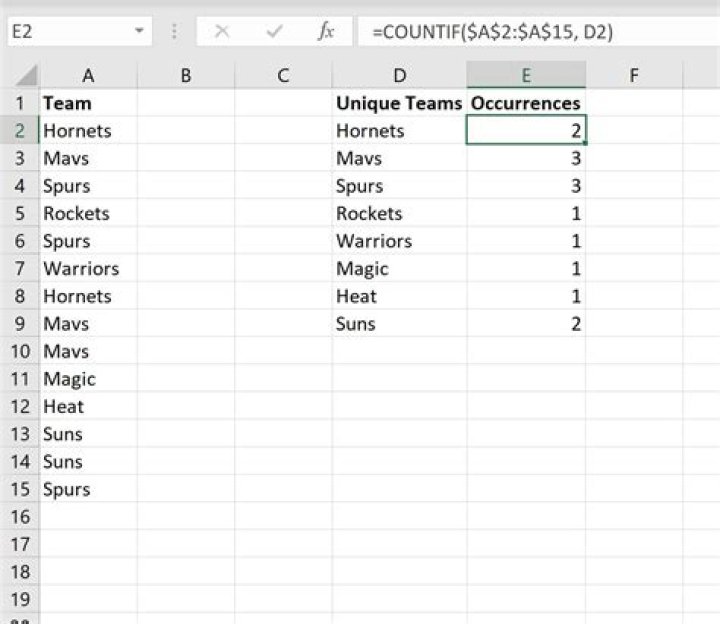
In the cell adjacent to the new unique list, add the formula =countif like this:
=COUNTIF(F$16:F$24,I16)
(where the first parameter is the absolute range of the original list, and the second parameter is the relative cell of the unique value)
Copy and paste this formula to the right of all unique cells.
If auto calculate is turned off, hit F9 to update.
The result is like this:
Use a pivot table:
- Add a header to your Item list (e.g., "Item" in cell A1)
- Select column 1 (the whole column, not just the data that is there)
- Insert pivot table
- Drag "Item" to the row area, and also drag it to the value area
- the value calculation should default to "Count"
If you add items to your list, simply refresh the pivot table to update the counts and/or pick up any new items.
Here you have a nice GIF showing how to in Excel. This is Mac OS X version, but it should not differe a lot.
I wrote a macro that does this automatically, and then removes duplicate values, and sorts the list from largest number of occurances to smallest


