Missing Settings in "NVIDIA X Server Settings"
I've been searching for a way to change the colors of my laptop display.
In Windows I do it with "Color Vibrance" within Intel Settings. I got an i7-6700HQ and a NVIDIA GeForce GTX 960M.
I'm on Ubuntu 16.04 with 4.4.0-36-generic kernel. I tried everything like adding the Option 'Option "DigitalVibrance" "integer"' from Nvidia Support WebSite, but that didn't change anything.
I tried different drivers (358.16; 361.45.18; 364.19; 367.44; 370.23) which did have effect on the performance but I still wasn't able to get these options.
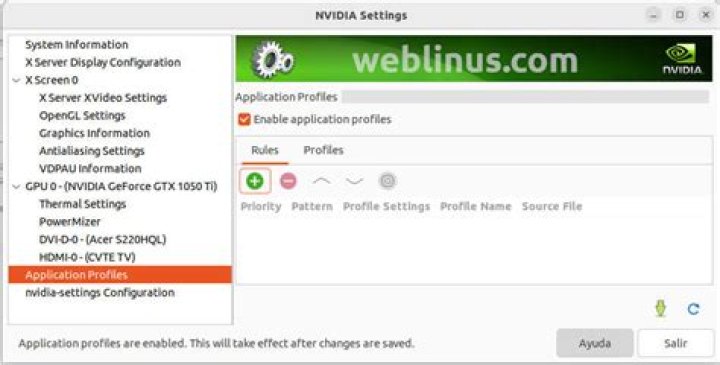
What my Options look like:
And what I found others look like:
(Of course this is a computer with more than one screen but shouldn't it have it for my laptop screen too?). I didn't run earlier Ubuntu version until now because it's a new Laptop, but maybe I will check this option too.
Edit
I just noticed that the X Server Settings dont recognize my build in display as a monitor. As you can see on the picture above it just says "Display Devices: None".
Maybe if i could change the xorg.conf right it would "recongnize" it?
What i found out so far by using xrandr is the following:
Screen 0: minimum 8 x 8, current 1920 x 1080, maximum 16384 x 16384
DP-0 disconnected (normal left inverted right x axis y axis)
DP-1 disconnected
eDP-1 connected primary 1920x1080+0+0 345mm x 194mm 1920x1080 60.02*+ 59.93 1680x1050 59.95 59.88 1600x1024 60.17 1400x1050 59.98 1280x1024 60.02 1440x900 59.89 1280x960 60.00 1360x768 59.80 59.96 1152x864 60.00 1024x768 60.04 60.00 960x720 60.00 928x696 60.05 896x672 60.01 960x600 60.00 960x540 59.99 800x600 60.00 60.32 56.25 840x525 60.01 59.88 800x512 60.17 700x525 59.98 640x512 60.02 720x450 59.89 640x480 60.00 59.94 680x384 59.80 59.96 576x432 60.06 512x384 60.00 400x300 60.32 56.34 320x240 60.05
HDMI-1 disconnected
HDMI-2 disconnected
so it's called eDP-1 i guess, but I don't know how to modify the xorg.conf.


