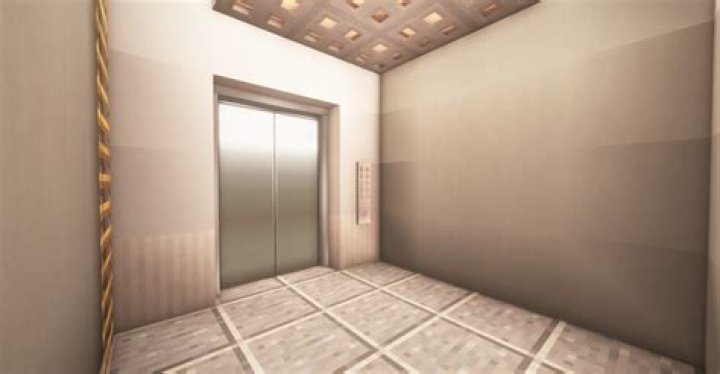
Minecraft Vanilla elevator
How can I use command blocks to test for whenever a player is standing on a certain block within a certain area, and then teleport them?
13 Answers
I got the answer from Stefnotch from youtube. The command is:
/execute @a ~ ~ ~ detect ~ ~-1 ~ sand -1 tp @a ~ ~-5 ~You can use this command. Note that the location of the command block doesn't matter.
/tp @a[x,y,z,r] tx ty tz x, y, and z are the coordinates of the block where you want to test for players.
r is the circular radius that the player must be inside. The location you specified with x, y, and z is the central point of this radius.
tx, ty, and tz are the coordinates that you want to teleport the player to.
Some examples:
/tp @a[0,0,0,10] 1 2 3 See if a player is within 10 blocks of 0, 0, 0. If so, teleport them to 1, 2, 3.
/tp @a[100,6,38] 1 2 3See if a player is at 100, 6, 38. If so, teleport them to 1, 2, 3. The radius isn't specified, so the player has to be on the exact block.
Make sure you pay attention to the details. No space between "a" and "[". Commas between x, y, and z but not between tx, ty, and tz. Good luck!
6A more user-interface style would be to have buttons on the wall with signs above them that say things like "Level 2" or "Second Floor: Storage" and command blocks behind them or activated by a /testforblock command that have /tp commands such as
/tp @p x y z
/tp @a[team=Elevator] x y z
/tp @a[r=2] x y z
I used this system very much when i was building my first command block world called "Megalopolis". It involved players exploring a vast city and trading with villagers to get title deeds, keys and coins. When using this a lot on structures with evenly spaced elevators, copied commands and relative coordinates sped up programming significantly.
Obviously, you could use the detect function used in previous answers, but this is simple and rather more decorative.


