Memory Runs at Flex Memory Mode
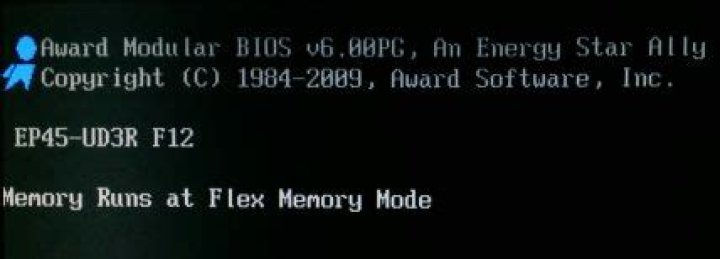
I had 4 GB RAM installed, running in dual channel mode.
RAM: Corsair TWIN2X4096-6400C5DHX (CM2X2048-6400C5DHX)
Motherboard: Gigabyte GA-EP45-UD3R
Channel 0: DIMM1, DIMM2
Channel 1: DIMM3, DIMM4
DIMM 1: 2 GB, CM2X2048-6400C5DHX
DIMM 2: --
DIMM 3: 2 GB, CM2X2048-6400C5DHX
DIMM 4: --
I added 2 GB more in DIMM 2. So now I have 6 GB in total.
So this is the current configuration:
DIMM 1: 2 GB, CM2X2048-6400C5DHX, channel 0
DIMM 2: 2 GB, CM2X2048-6400C5DHX, channel 0
DIMM 3: 2 GB, CM2X2048-6400C5DHX, channel 1
DIMM 4: --
But now when I boot up, BIOS reports as running in "Flex" mode.
Why is that? The module I added is of the same brand and part number as the other ones that were already installed. From what I have read on the web, the "flex" mode only appears if you mix and match different module sizes, or different brand and part numbers.
In fact, here is a quote from the motherboard manual about it:
When memory modules of different capacity and chips are installed, a message which says memory is operating in Flex Memory Mode will appear during the POST. Intel® Flex Memory Technology offers greater flexibility to upgrade by allowing different memory sizes to be populated and remain in Dual Channel mode/performance.
Here is a screenshot of a RAM report.
How do I tell if at least the original two RAM modules are running in dual channel? What do I look for?
I notice that the module in slot 2 has a week/year parameter. While the original two do not. I don't think the date is accurate. But could this indicate that they are not same modules, internally? Like different revisions maybe?
Why are there two different JEDEC frequencies? One is at 270 MHz and the other is at 400 MHz, why is that?
This is what the DIMM slots look like:
Similar color means disimilar channel, and disimilar color means similar channel (in lack of a better way of expressing this idea). So yellow and yellow means channel 0 and 1, which makes up a dual channel. Similarly, red and red means channel 0 and 1. Colors are not an indication of channel (same color does not mean same channel), but a way to help install memory in dual channel mode. (Then you add the third wheel to the mix, like I did, and you're in this weird "flex" mode.)
42 Answers
Your system is in flex mode because your channels are not of the same capacity. Since you have three chips but a dual-channel board/CPU flex is the best you can do. You must have an equal capacity on both channels to run full dual channel.
in your case, it it probably best that way. the additional ram is likely worth the small degradation in speed from the flex channel interleaving. When you get the opertunity, drop another stick in to even it out.
See more info about Ram channels and Flex mode here:
5You are running in Flex Mode because you have a total of 4GB in channel 0 and only 2GB in channel 1. The first 2GB of memory in channel 0 is in Dual Mode with the 2GB in channel 1. The additional 2GB in channel 0 is in Flex Mode, that is the same as saying it is running in Single Channel Mode. So, you have 4GB in Dual Channel plus 2GB in Single Channel. It probably doesn't affect your performance at all but if you add one more 2GB module it will all be in Dual Channel Mode.
1

