Making Firefox fullscreen-like without actually maximizing the window
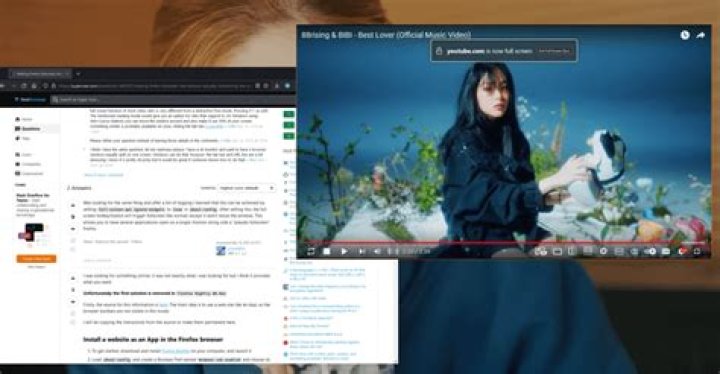
When using multiple windows on the same monitor, I like to have Firefox and my IDE open side to side (like with Win+Arrow) and it would be cool to have Firefox in a "fullscreen-like" style, where the tab and address bar are temporarily hidden. Is there a way to prevent it from maximizing the window or telling it, to only use half of the actual screen, when pressing F11?
Alternatively, sites like YouTube offer to play a video on full screen. Is there a way, to let single tabs/sites take up the current size of my browser only?
Summarized, I'd like to have the ability to tell a window OR tab, which is switching in "fullscreen" mode, how much of my screen it's actually allowed to take up. For me, tt doesn't matter, if it's a Firefox or Cinnamon setting.
I'm using Firefox 69.0 on a Manjaro Linux with Cinnamon as Desktop.
51 Answer
I was looking for something similar, it was not exactly what i was looking for but i think it provides what you want.
Unfortunataly the first solution is removed in Firefox Nightly 86.0a1
Firstly, the source for this information is here. The main idea is to use a web site like an App, so the browser toolbars are not visible in this mode.
I will be copying the instructions from the source to make them permanent here.
Install a website as an App in the Firefox browser
- To get started, download and install Firefox Nightly on your computer, and launch it
- Load
about:configand create a Boolean Pref namedbrowser.ssb.enabledand choose its value astrue. - Restart Firefox and visit any website in the address bar, click on … icon to open the Page Action menu and select
Use this site in App mode. Example screenshot.
Tip: You can right-click and add that icon to address bar so that, next time, you can install apps more easily by clicking on that icon.
- The website’s shortcut will be created on the desktop and that site will open in a window with site favicon without any toolbars, browser chrome, and navigational elements when launched. Example screenshot.
Uninstalling Apps in Firefox browser
In the Firefox browser, click on the hamburger menu icon to open the menu,
Select Sites in App Mode, click on close icon at the end of a website title, that app will be uninstalled. Example screenshot.
Starting from Firefox version 73 Nightly
This kind of shortcut seems to let you easily launch the website in "Site Specific Browser" mode directly:
"C:\Program Files\Firefox Nightly\firefox.exe" --ssb
Edit: A modern solution in form of an extension (and a helper userscript if necessary) that currently works
This extension lets you to choose between several modes for a web page that supports "Fullscreen" modes. You can either choose "Windowed" (probably the one you want), "In-window" (the one i wanted), "PiP" (Picture-in-Picture) and regular "Fullscreen" mode.
If a page does not support any form of FullScreen toggle, a userscript like this can help. In this userscript
(function() { 'use strict'; document.addEventListener("keydown", function(e) { var key = event.which || event.keyCode; if (key == 122 && document.fullscreenEnabled){ if (!document.fullscreenElement) document.documentElement.requestFullscreen(); else if (document.exitFullscreen) document.exitFullscreen(); } });
})();
key == 122 part can be replaced to have another button as shortcut. Key codes for keyboard buttons can be found in tools like . Pressing the shortcut pops up the extensions menu like . You can choose "In-window" here to have your web page in a standalone window without any toolbars.


