MAC Parallels Desktop was not found
I've uninstalled parallels recently, but now I've got 5 error messages: "Google Chrome requires Parallels Desktop to operate. Please install Parallels Desktop and try again."
I think this errors appear from UserNotificationCenter - I switched it off, but errors didn't disappeared, also I can't find any file association with Google Chrome.
Any suggestions?
2 Answers
I recently received similar error messages:
Safari requires Parallels Desktop to operate. Please install Parallels Desktop and try again.
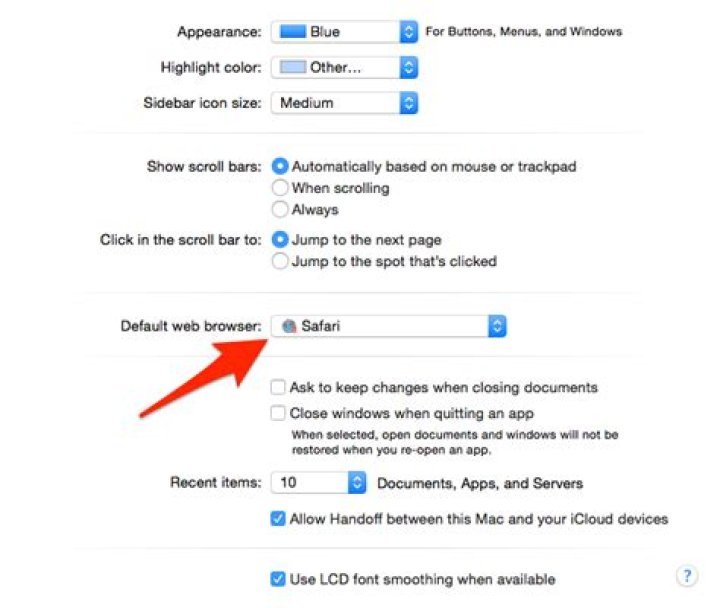
And I think I have an answer: In System Preferences, under General, make sure your Default web browser does not have a red || Parallels icon.
The real Safari browser is at the top of the list.
This is what it looks like for me:
If you want to delete these apps for good, look in your Home folder for Applications (Parallels) or Applications (Windows). That's where you'll find these "fake" apps:
It sounds like you were using Parallels to run a version of Windows within the OSX environment. Within that emulator, you installed the Windows version of Google Chrome browser. Now that you have removed Parallels, that version of Chrome has lost its "OS" and is throwing the error.
In Safari, go to Google's Chrome page to download and install the OSX version of Chrome on your Mac.


