List view on desktop no longer working in Windows 10 after Fall Creators update
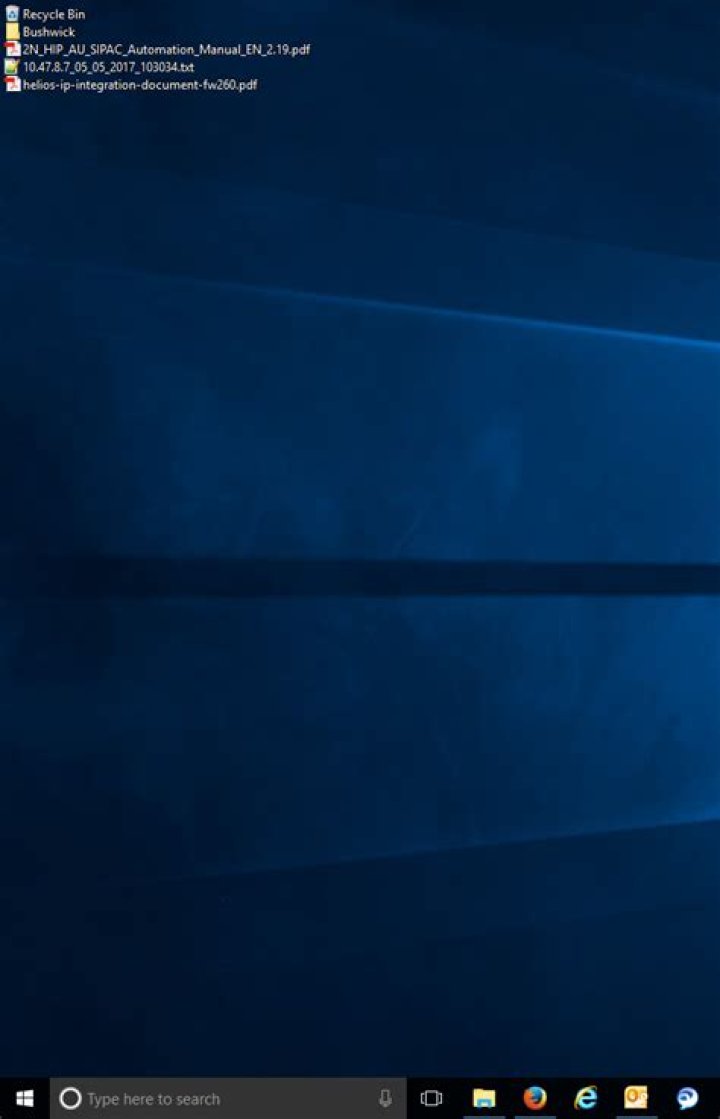
Up until the Fall Creators update it used to be possible to show desktop icons in list view, which was awesome. To achieve this you could either use a little tool written in AutoIT or press Ctrl+Shift+5 on the desktop.
My question is whether there is ANY way to achieve this again since the update. Reghack, patching explorer.exe, anything is worth trying. The AutoIT tool sort of works but is semi-broken, making the icons invisible and requiring auto-arrange to not flip out completely.
Here's what it used to look like (Note: not my screenshot)
2 Answers
This option seems to be gone in the latest Windows 10 version, but can still be forced by using the free programDesktop Listview.
I have installed this product and it does what it says, although I have the feeling that it mixes up a bit the icons. This is a bit of my desktop with it running :
I don't trust this program, and would prefer to avoid using a feature that Microsoft has decided to deprecate, so I would rather recommend usingStardock Fences. You may try it for 30 days or buy it for $9.99. Stardock is a reputable company and you can trust their products to keep on working across Windows updates.
This demo desktop image is taken from the Stardock website :
Right-click on the Task Bar. From the shortcut menu, hover over Toolbars>. Click on Desktop. That will give you the little vertical rectangular button that when clicked, will give you the list of your Desktop items. [image of Desktop Shortcut Button]


