LibreOffice Spell Checker doesn't work?
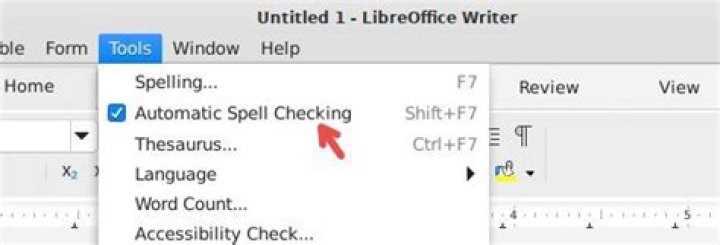
I was a little surprised to discover that in LibreOffice (3.5.4.2), the spell check doesn't actually work. I was surprised since spell checkers have been around since....80's? Not a difficult thing.
I am running Ubuntu 12.04, on a relatively new install. I haven't done anything to my dictionaries or language files.
Under tools>options>languages> writing aids, I have the option selected to check as I type and to use the English dictionaries.
However, I get no errors when I type spelling mistakes on purpose, and when I run the checker it just says the spell check has completed and closes the window.
Is this a bug with Libre? or have I done something wrong?
47 Answers
A quick fix for the current document (assuming English text) is Tools - Language - For All Text - English (USA).
I think the permanent fix is to make sure that the default language used for documents is supported by an installed dictionary. This solution has been documented by "idiota" on LibreOffice's questions forum:
"The problem is fixed by clicking Tools/Options/Language Settings/Languages. It allows dozens of flavours of English, BUT spelling is disabled for all the ones that don't have the little blue tick ABC icon beside them."
3When choosing your language do you see the check besides it?
If not then open up "Language Support" and click on "Install / Remove Languages..." and install the language you want and close LibreOffice and try again.
4To install the spell check packages for English and USA the terminal commands are:
sudo apt update
sudo apt install myspell-en-gb myspell-en-us
Notes:
- If you already have installed
hunspell-en-gbthen you have to remove it to installmyspell-en-gb. - If you already have installed
hunspell-en-usthen you have to remove it to installmyspell-en-us.
Install the following:
sudo apt-get install myspell-en-usNow restart the office suite to make the spell check work. Hope this helps
1In my case the spell-check option to enable my language of choice was not present.
The dictionaries were installed so the problem was with the office program.
This was remedied by the following :
killall soffice.binrm -r .config/libreoffice/Start LibreOffice & go to Tools->Options-> Language Settings -> Default language for documents: English UK (now with spell check icon)
PS: For English UK I have libreoffice-l10n-en-gb and myspell-en-gb installed.
Go to -> tools-> options-> languages-> western. Then set the western language as English usa as it is enabled with spell checking.
If you've chosen anything other than English (USA), it'll likely not have spellcheck available.
That's the A with green dots seen here:
If you need a GB, AU, CA or ZA English variant, install the English Dictionaries extension.


