Kazam shortcut keys not working in Gnome 3
I am using Gnome 3.10 on the top of Ubuntu 13.10 and the stock kazam screencaster coming with Ubuntu (1.4.3-0ubuntu1).
Kazam works properly, however the start/pause/finish shortcuts are not working at all. They're supposed to be Super+Ctrl+R, P and F respectively.
It used to work properly with Unity. Do you have any idea what's blocking them in Gnome3?
UPDATE Feb 12, 2014:
I realized that several times the shortcuts worked but not always and not consistently.
1 Answer
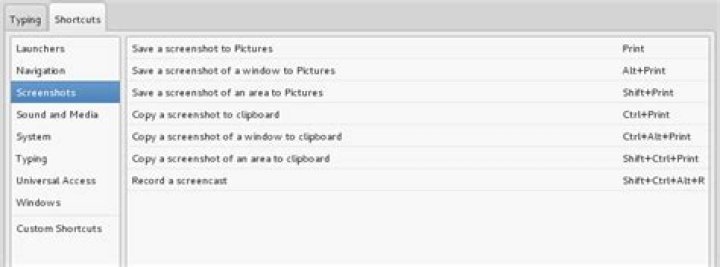
You should be able to use the default screen-caster (it might be the same thing... I don't know...) that comes with Gnome - just use the keyboard shortcut: Ctrl+Shift+Alt+R
If you go the 'Keyboard' settings and then 'shortcut', you can change this shortcut:
You can also remove any other keyboard short-cuts that may override the ones you specified.
More here
4

