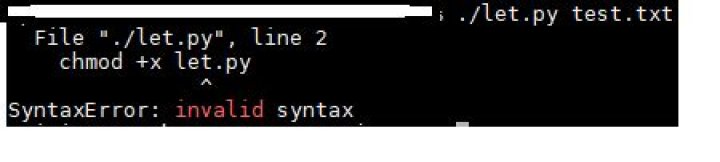
invalid syntax changing python file permission with chmod +x
#!/usr/bin/python3
chmod +x let.py
import sys
top 3 lines of program above then when I try to run ./let.py it will give me this error I am not sure why this isn't working
22 Answers
This command is an sh command. Type exit() to exit python and then you can type chmod +x let.py
Changing file permissions from python
As mentioned in a comment, just chmod is not a python command. Not sure which file you are trying to change permissions of, but do do that from python code, you've got two options:
Use
os.chmod:#!/usr/bin/env python3 import os # use 0o (zero + "o" before 755 to use octal) os.chmod('/path/to/file.py', 0o755)Use
subprocess:#!/usr/bin/env python3 import subprocess subprocess.Popen(["chmod", "+x", "/path/to/file.py"])
Note:
For shebang, #!/usr/bin/env python3 is saver than #!/usr/bin/python3, which might break on other distros.


