Interent Explorer Log is empty always
OS- Windows 7 Professional & Windows Server 2008 R2
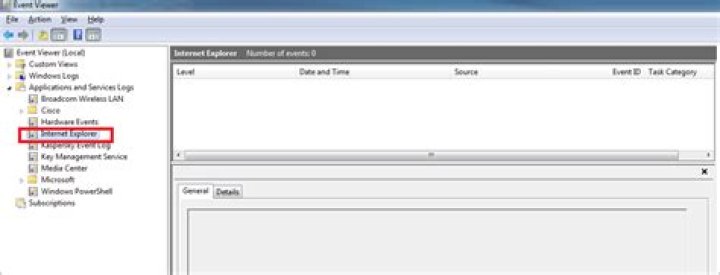
In Event Viewer --> Application and Services logs --> Internet Explorer there is no log, it is always empty.
I need to check why my Internet Explorer crashes automatically, but I don't find any log. I have also try some registry setting to enable log. but unable to do the same. below is the print-screen.
2 Answers
I hope you'll pardon the very basic question, but did you make sure you have no active filters that would hide the logged events you are interested in? This is a rudimentary thing I have overlooked once too often.
Did you enable IE event logging as described in ? If not, you'll want to add the registry entry and then restart the "Windows Event Log" service. and start a completely new IE session.
Restart-Service eventlog
Get-Service eventlog
You may also want to look at the Microsoft Application Compatibility Toolkit (see (v=VS.85).aspx) to help you granularly enable and disable logging for different parts of IE.
Hope this helps.
3To add to the previous answer: The location in the Registry may have changed with versions. This setting worked for me (Windows7 pro 64):
[HKEY_CURRENT_USER\Software\Microsoft\Internet Explorer\Main\FeatureControl\Feature_Enable_Compat_Logging]
"iexplore.exe"=dword:00000001
source (near bottom)


