Intel wifi Support for AX200 (Cyclone Peak)
PC: Razer Blade 15" advanced model (mid.2019)
Wifi card: Intel Wifi AX200 OS: Ubuntu 18.04.2
Issue:I'm unable to get the wifi working, even tho bluetooth works fine
Kernel has already been updated + apt update && apt upgrade
razer@razer-Blade:~$ uname -sr
Linux 5.1.7-050107-generic
Wifi still remains undetected
razer@razer-Blade:~$ rfkill list
0: hci0: Bluetooth Soft blocked: no Hard blocked: no7 Answers
The package backport-iwlwifi-dkms from the PPA canonical-hwe-team/pc-oem-dkms works for both kernel versions 4.15 and 5.0, the current HWE kernel. However, you need to install the package while running kernel 4.15. With kernel 5.0, you get an error during the package installation.
After the package has been successfully installed, just reboot your system, and your wifi should be working.
3Because you have already updated your kernel, here is another option for you.
You can try the linux-oem-osp1 kernel and update linux-firmware to the latest version. This kernel is for certified OEM machines, based on 19.04's 5.0 kernel, AX200 support has been backported. I recommend this method because the packages are officially supported.
$ sudo apt install linux-oem-osp1 linux-firmwareAlternatively, for those who want to stick with the default 4.15 kernel in 18.04, you can use simply install backport-iwlwifi-dkms from Ubuntu archive:
$ sudo apt install backport-iwlwifi-dkmsThe backport-iwlwifi-dkms package used to be in the canonical-hwe-team/pc-oem-dkms PPA, but now it's available in the standard Ubuntu archive, saving you the trouble of adding a PPA.
Please refers to this post:
The author received a response from Intel. The driver itself has not made it into the kernel, therefore they suggested using their backport driver (which has now made wi-fi accessible on my laptop [mid-2019 Razer Blade])
1Just upgrade to the latest Linux Kernel, >5.1, and use the latest firmware for the Wireless adapter:
If you don't mind installing a new operating system, start with Ubuntu 19.10 daily build which has the latest Linux Kernel and firmware. It works out of the box:
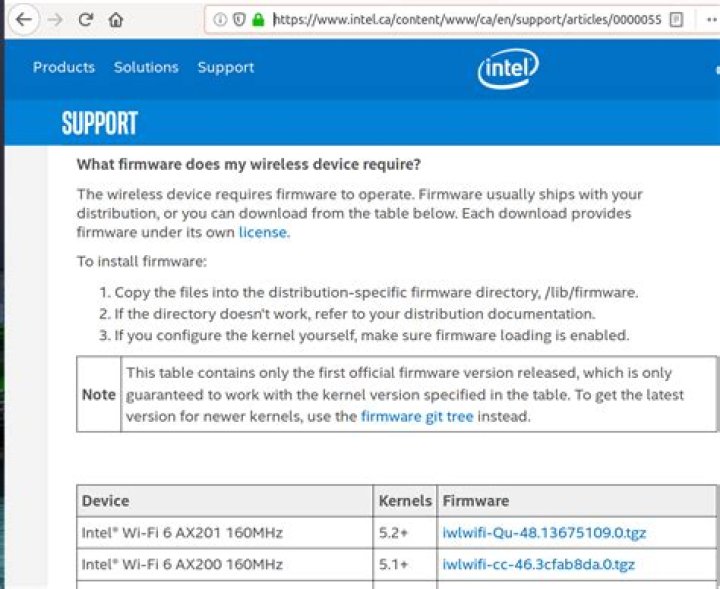
3Here are the Canadian Instructions:
You can install any kernel you want in Ubuntu:
without having to upgrade your desktop (eg 16.04 -> 18.04 -> 19.04) in order to get a new kernel version. Upgrading your desktop can result in operations loss (won't boot), in a steep learning curve and loss of functionality (but usually offset by gains in new functionality). Backups are strongly recommended when upgrading desktop. So you should plan carefully if all you want is a new kernel. Upgrading just a kernel (and keeping desktop) doesn't require a backup because the old kernel is still there to boot from.
-Did you install dual-boot Windows 10 and Ubuntu on your system? If so, please disable the 'Fast Startup' option on Windows 10.
Details can be found at , please refer to "About dual-boot with Windows and "fast-boot" enabled"
Linux* Support for Intel® Wireless Adapters
1For my case, kernel 4.15.0-62 (ubuntu 16.04), with the use of backport driver as state by Anthony Wong,installing the driver from . The wifi work for me (not at 1Mbps).
2

