Install public key via ssh-copy-id for other users
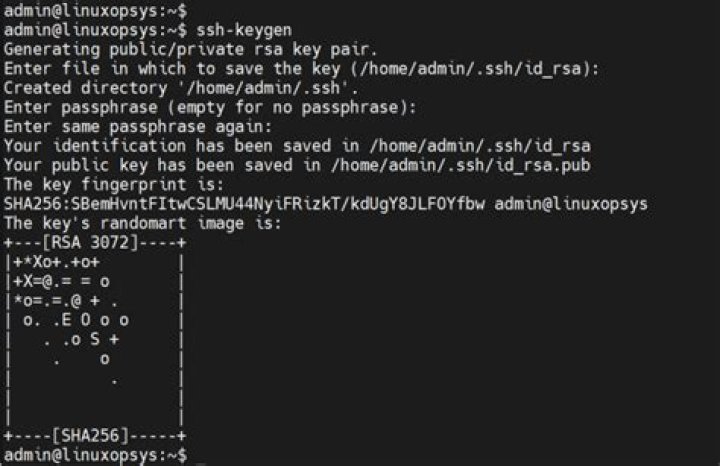
ssh-copy-id can be used to install your public key in a remote machine's authorized_keys. Could the same command be used to install other users' public keys, if you have sudo ability?
Update: both local and remote are using Ubuntu 12.04.
Update 2: describing the procedure of creating a new user account and adding public key
- (remote) Create a new user account, and set it to user public key access only.
- (local) Generate a public key for the new user account (ssh-keygen).
- Normally I do is to create the directory and file
.ssh/authorized_keyson the remote server, then copy and paste the public key generated locally to the new user's account. What I am looking for is that if I can usessh-copy-idto install this newly created user's public key directly into the ssh directory. Just to save a couple more commands.
2 Answers
Not the same command but if you have sudo on the remote host, you can use ssh to remotely do the required steps. I use the following command to push my ssh key to my raspberry's root user:
cat ~/.ssh/id_rsa.pub | \ ssh pi@192.168.1.25 \ "sudo mkdir /root/.ssh; sudo tee -a /root/.ssh/authorized_keys"- cats my bublic key
- pipes it to ssh
- ssh connects to my raspberry as ssh user
- on remote uses sudo to create /root/.ssh
- then uses sudo with "tee -a" to append stdin (which holds the key from first cat) to /root/.ssh/authorized_keys
Just put this stuff together as a script, maybe add some chmod/chown on the remote side and you have what you need.
3Provided that we have access to the server at ADDRESS with the root user and the user we want to set up keys for is called ubuntu, the following one-liner can be used.
cat ~/.ssh/id_rsa.pub | ssh root@ADDRESS "su - ubuntu -c 'mkdir -p ~/.ssh && tee -a ~/.ssh/authorized_keys'"This will work regardless whether .ssh and authorized_keys exist or not.


