Install FFmpeg on OS X
Is there a good place or bash script I can use (or at least a version I can build myself) for FFmpeg on OS X?
I have Xcode installed as well as the CLI for Xcode (gcc etc).
I have a version of FFmpeg currently installed, but somehow I get a segmentation error on libx264 as well as the libvpx (I can't convert to MP4 and WebM).
All I want to do is batch convert video files to HTML5 compatible videos. All my source videos consist of .mov .mp4 and .wmv files. .ogv works fine by the way.
So the real question:
- How to uninstall everything of FFmpeg on my Mac now
- Reinstall a FFmpeg version that can convert to .mp4, .webm, and .ogv
I also tried the precompiled version of Miro video converter but somehow that doesn't work either.
02 Answers
There are three options, sorted by complexity:
- Homebrew (or other package managers)
- Static builds
- Compile yourself
To follow this you need to have a bit of knowledge using a terminal/shell under macOS.
1. Homebrew
Homebrew has a formula for stable FFmpeg releases. This will get you running pretty fast. First, install Homebrew.
Then install FFmpeg through the ffmpeg formula:
brew install ffmpegThis will download a lot of dependencies such as x264, but after that you should be good to go.
To update ffmpeg later on, run:
brew update && brew upgrade ffmpeg2. Static Builds
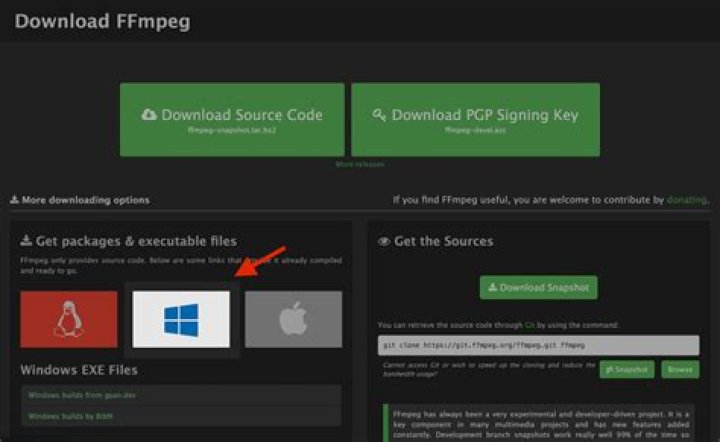
The FFmpeg project, on the download page, offers links to static builds for ffmpeg, which you can just download, extract, and use in a terminal.
Static builds cannot contain every possible encoder, mostly due to licensing issues. This is why I don't recommend using them unless you don't really care about which specific features you need.
Once downloaded, extract the file, open up Terminal.app, and navigate to the directory where you unzipped the files, i.e. where you find a file called ffmpeg. Copy this file to /usr/local/bin:
cd ~/Downloads/
sudo mkdir -p /usr/local/bin/
sudo cp ./ffmpeg /usr/local/bin
sudo chmod ugo+x /usr/local/bin/ffmpeg
Now, if you use Bash (which is the default shell), add it to your $PATH:
open -e ~/.bash_profileAdd this to the file at the end:
export PATH="/usr/local/bin:$PATH"Save it, and close the editor. Now restart your Terminal and which ffmpeg should return /usr/local/bin/ffmpeg.
3. Compiling yourself
You can of course build FFmpeg tools yourself, following the OS X compilation guide. This guide will always be up to date, and by manually compiling you may be able to tweak a few parameters.
To uninstall whatever version of FFmpeg you installed we'd need to know how you've installed it in the first place. Since Homebrew will install to /usr/local/Cellar, and symlink to /usr/local/bin/ffmpeg, it probably won't cause any problems with other libraries. However, check the make install scripts of the versions you (supposedly) built yourself and see where they placed FFmpeg. Then just delete them from there — it won't interfere with Homebrew.
The segmentation fault could be due to improper linking between the x264 or libvpx libraries. Since Homebrew will take care of this, you shouldn't run into any issues.
6Install FFmpeg on the new ARM silicon (M1 chip):Install Rosetta2 via terminal using:
/usr/sbin/softwareupdate --install-rosetta --agree-to-licenseOnce Rosetta2 installed we can install Homebrew for ARM M1 chip:
arch -x86_64 /bin/bash -c "$(curl -fsSL )"Once the installation is finished, use the next Homebrew command to install ffmpeg:arch -x86_64 brew install ffmpeg


