Image Writer not working - missing partition table
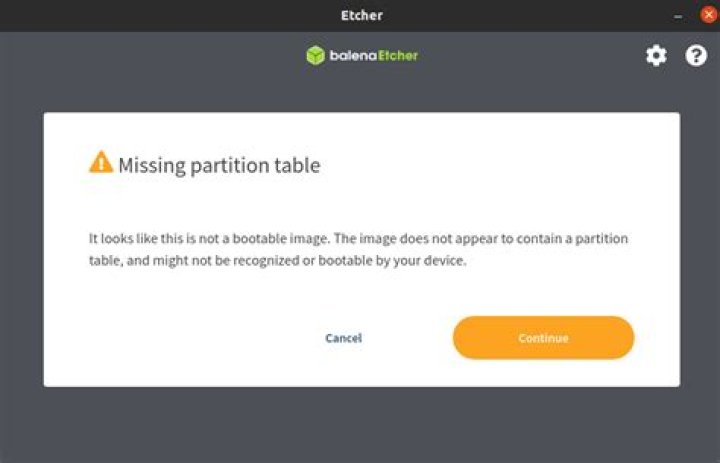
I have downloaded the Windows 10 iso file and first, I tried to write it to my 16GB USB with the command sudo dd if=Win10.iso of=/dev/sdb and it didn't work so I tried balena etcher. it says missing partition table. Can you help me with this please? the iso file works perfect on a VM BTW
2 Answers
This is the solution for Windows 10.
Please assume that /dev/sdx is the block device of the USB stick.
Note: there are little differences between < v1809 and >= v1809 that are noticed in screendump.
Open a terminal session, then:
sudo su
DEVICE=/dev/sdx
# wipe MBR
dd if=/dev/zero of=$DEVICE bs=1M count=1
# new partition table
fdisk ${DEVICE}
n
p
1
ENTER
ENTER
t
c
a
w
# new filesystem
mkfs.vfat ${DEVICE}1
# mount it
mkdir /mnt/usb
mount ${DEVICE}1 /mnt/usb
# win 10 as loop device
mkdir /mnt/Win10
mount -o loop /path/to/Win10_x64.iso /mnt/Win10
# copy files from iso to usb-stick:
# if win 10 version < 1809 cp -a /mnt/Win10/* /mnt/usb
# if version >= 1809 apt install wimtools rsync -avP --exclude='sources/install.wim' /mnt/Win10/ /mnt/usb/ wimsplit /mnt/Win10/sources/install.wim /mnt/usb/sources/install.swm 2500
# clean up
umount /mnt/usb
umount /mnt/Win10
rm /mnt/usb
rm /mnt/Win10
I finally realized it is not a good idea to make a windows 10 installation USB with Linux distros. The best way is to have it done by a windows c or installing Windows on a virtual machine and making the USB there if your main OS is Linux.


