How to view Borderlands FPS without third party software
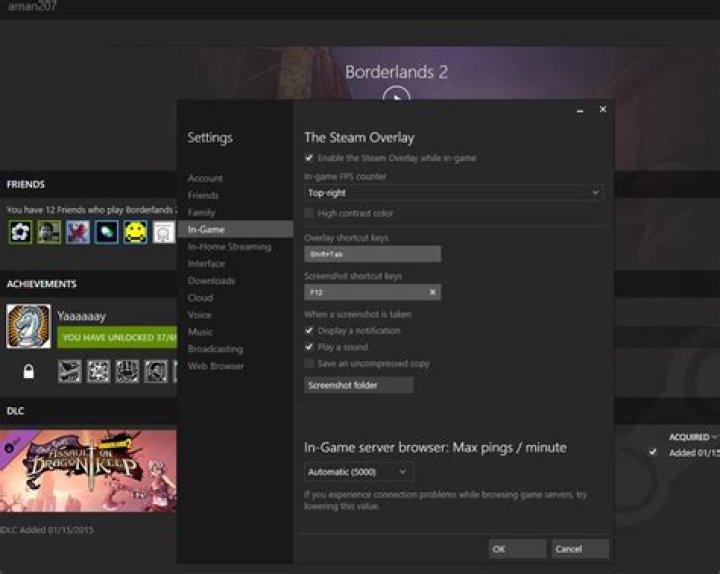
I would like to see what my framerate is for Borderlands 2 (steam). However, the only way to do this that I can find on Google, is to install 3rd-party-software (fraps, EVGA monitor...). Right now, I am running Ubuntu, which is incompatible with all of these. Is there any way to see the framerate without installing anything?
1 Answer
Steam actually has a built in setting for you to check the FPS of any game. Go into setting and select the In-Game options and change the In-Game FPS counter to whatever position you want. This will then show some small text in one of the corners with the current FPS of the game.


