How to upload one file by FTP from command line?
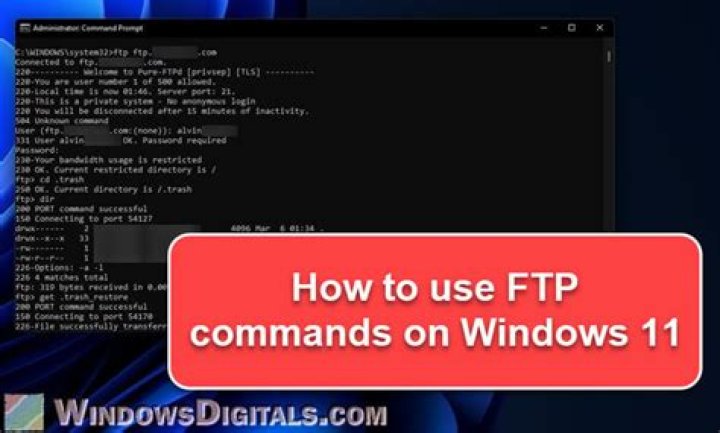
I need to upload a single file to FTP server from Ubuntu. This operation should be done in a script (in non-interactive mode). What is the right syntax for ftp?
I'm trying this, to no avail:
$ ftp -u ftp://user: my-local-file.txt
ftp: Invalid URL `ftp://'11 Answers
Here is one approach:
$ ftp -n <<EOF
open ftp.example.com
user user secret
put my-local-file.txt
EOF
Alternatively, create (or edit) the ~/.netrc file in the home dir of the user that will run the ftp command, give it appropriate perms (chmod 0600 ~/.netrc), and add the following:
# ~/.netrc
machine ftp.example.com
login user
password secret
Then omit the login information, as in:
$ echo put my-local-file.txt | ftp ftp.example.comAlso, here's how you might do the same thing using curl:
$ curl -T my-local-file.txt ftp://ftp.example.com --user user:secretI can recommend ftp-upload. It's a neat little tool that you can install under ubuntu through sudo apt-get install ftp-upload.
Usage example:
ftp-upload -h {HOST} -u {USERNAME} --password {PASSWORD} -d {SERVER_DIRECTORY} {FILE_TO_UPLOAD}You can also try lftp.
Here is an example:
lftp -e 'cd folder1/folder2; put /home/path/yourfile.tar; bye' -u user,password ftp.theserver.comRefer here for more details and also refer to LFTP Manual
.
3You need to fix the URL given in your statement. You received the error because the URL was incomplete - it was missing the name of the object you are uploading. Once you add the filename after 'example.com' as I have done below, you will see the single command does indeed work as you intended.
Try this:
ftp -u ftp://user:/my-local-file.txt my-local-file.txt
Install ncftp and use the ncftpput tool that comes along with it, pretty much something like this syntax:
ncftpput -u ftpuser -p ftppass ftphostname /path/where/to/upload localfile.name
if [ $? -ne 0 ]; then echo "Upload failed"; fi
You can even check if the upload status is good or bad. The normal ftp client can also be used along with expect.
Upload a file to a remote location via command line
#!/bin/bash
#$1 is the file name
#usage:this_script <filename>
HOST='yourhost'
USER="youruser"
PASSWD="pass"
FILE="abc.php"
REMOTEPATH='/html'
ftp -n $HOST <<END_SCRIPT
quote USER $USER
quote PASS $PASSWD
cd $REMOTEPATH
put $FILE
quit
END_SCRIPT
exit 0
I use BusyBox's ftpput to do this:
# /bin/busybox ftpput
BusyBox v1.20.2 (Debian 1:1.20.0-7) multi-call binary.
Usage: ftpput [OPTIONS] HOST [REMOTE_FILE] LOCAL_FILE
Upload a file to a FTP server -v,--verbose Verbose -u,--username USER Username -p,--password PASS Password -P,--port NUM Port
Note: busybox ftpget work well too.
Use the put command after connecting to the FTP server with ftp (it is interactive, btw).
put local-file [remote-file] Store a local file on the remote machine. If remote-file is left unspecified, the local file name is used after processing according to any ntrans or nmap settings in naming the remote file. File transfer uses the current settings for type, format, mode, and structure.Example login:
~ $ ftp 127.0.0.1
Connected to 127.0.0.1.
220---------- Welcome to Pure-FTPd [privsep] ----------
220-You are user number 1 of 25 allowed.
220-Local time is now 10:47. Server port: 21.
220-This is a private system - No anonymous login
220-IPv6 connections are also welcome on this server.
220 You will be disconnected after 15 minutes of inactivity.
Name (127.0.0.1:user1): user2
331 User user2 OK. Password required
Password:
230 OK. Current restricted directory is /
Remote system type is UNIX.
Using binary mode to transfer files.
Example copy (login required before it):
ftp> put index.html
local: index.html remote: index.html
200 PORT command successful
150 Connecting to port 43791
226-File successfully transferred
226 0.003 seconds (measured here), 3.96 Mbytes per second
10701 bytes sent in 0.00 secs (34.4773 MB/s)
Example logout (login required before it)
ftp> quit
221-Goodbye. You uploaded 11 and downloaded 0 kbytes.
221 Logout.
~ $
You could also use the sftp or ftp command
sftp {user}@{IP}Password:put {path To File On Local Computer}
i improved Marty answer like below (include binary):
[ftp_example_1.sh]
$ ftp_example_sh.sh dump_file
ftp -n <<EOF
open 192.168.0.10
user anonymous aaa
binary
put $1
EOF
[ftp_example_2.sh]
$ftp_example_2.sh 192.168.0.10 dump_file
ftp -n <<EOF
open $1
user anonymous aaa
binary
put $2
EOF
FtpPut(){ echo `echo -e "open host\nuser user pass\nbinary\nput $1\nquit"|ftp -nv`
}
FtpPut asd.txt
FtpPut asd.mp4
FtpPut asd.php
...

