How to run installation petalinux in Ubuntu 20.04
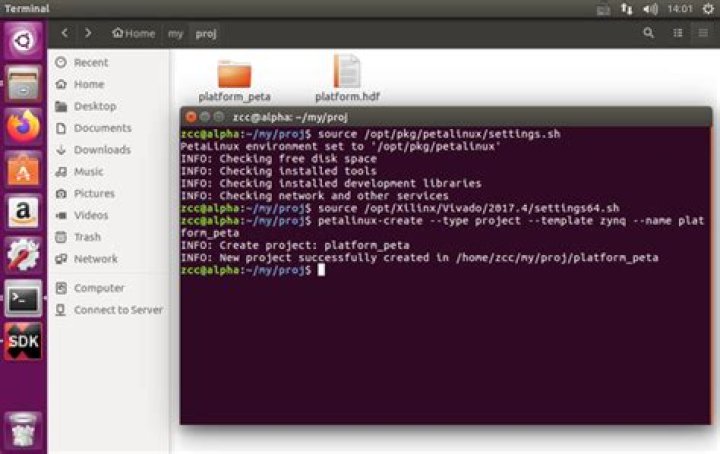
I am not able to run the installation of petalinux in Ubuntu 20.04.
abc@alpha:/scratch2/abc/Xilinx$ /petalinux-v2021.1-final-installer.run /scratch2/abc/Xilinx/PetalinuxIt comes with this error.
-bash: /usr/bin/python: No such file or directoryI edit my question with terminal. I am not sure what I am doing wrong.
abc@alpha:/scratch2/abc/Xilinx$ ls
Downloads Petalinux petalinux-v2021.1-final-installer.run Vitis Vivado
DocNav Model_Composer Projects Vitis_HLS xic
abc@alpha:/scratch2/abc/Xilinx$ ./petalinux-v2021.1-final-installer.run /scratch2/abc/Xilinx/Petalinux
ERROR: Invalid options: /scratch2/abc/Xilinx/Petalinux
PetaLinux installer.
Usage: petalinux-v2021.1-final-installer.run [--log <LOGFILE>] [-d|--dir <INSTALL_DIR>] [options]
Options: --log <LOGFILE> specify where the logfile should be created. it will be petalinux_installation_log in your working directory by default. -d|--dir [INSTALL_DIR] specify the directory where you want to install the tool kit. If not specified, it will install to your working directory. -p|--platform <arch_name> specify the architecture name. aarch64 : sources for zynqMP and versal arm : sources for zynq microblaze_lite : sources for microblaze_lite microblaze_full : sources for microblaze_full
EXAMPLES:
Install the tool in specified location: $ ./petalinux-v2021.1-final-installer.run -d/--dir <INSTALL_DIR>
To get only desired sources: $ ./petalinux-v2021.1-final-installer.run --dir <INSTALL_DIR> This will install the sources for all(zynq,zynqMP,versal,microblaze_lite,microblaze_full). $ ./petalinux-v2021.1-final-installer.run --dir <INSTALL_DIR> --platform "arm" This will install the sources for zynq only. $ ./petalinux-v2021.1-final-installer.run --dir <INSTALL_DIR> --platform "arm aarch64" This will install the sources for zynq,zynqMP and versal. $ ./petalinux-v2021.1-final-installer.run --dir <INSTALL_DIR> --platform "microblaze_lite microblaze_full" This will install the sources for microblaze_lite
Please refer to the PetaLinux Tools Installation Guide.2 Answers
Probably you need to install Python3 symlink (/usr/bin/python → /usr/bin/python3) by
sudo apt-get install python-is-python3and then retry running installer.
Also consult with .
2Step 1: Create the Virtual Machine
Download, install and launch VirtualBox from here.
Create a new virtual machine using these options: Linux Ubuntu 64-bit 16 GB RAM (8GB minimum according to user guide) VirtualBox Disk Image Dynamic (resizable) hard disk 200 GB size (the resulting VM will have about 113GB free after all of these installs so you can reduce this if you like)
I recommend using the dynamic type of hard disk because the Xilinx tools use up a lot of space, BSPs can take up a couple of GB each, plus PetaLinux projects use up a lot of space typically, so it’s hard to know exactly how much space you will end up needing. If you go with a fixed size HDD, you can’t change it easily with VirtualBox, so I say go with the dynamic.
More about please visit https://


