How to Restore Hard Disk File Icon? Windows 7
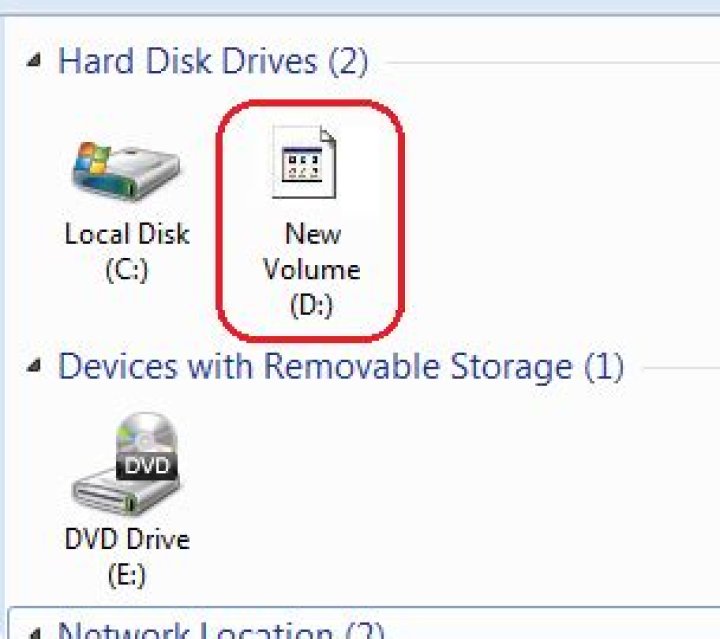
One day when I opened My Computer I saw a strange icon for drive D: instead of the usual icon.
How can I restore the original icon? Here is a screenshot:
6 Answers
- Launch a Command Prompt with administrator privileges, and navigate to the root of drive
D: Run the following:
attrib -r -h -s autorun.inf
del autorun.inf
This will most likely solve your problem.
4Here's the solution that worked for me. (Windows 8.1) Open registry editor and navigate to
HKEY_CLASSES_ROOT \Applications \explorer.exe \ Drives\First backup and then delete all Key with names of Drive for which the icons you need to restore. For example to restore drive icon of C: drive, delete Key "C". Once you are done restart your computer. In my case the culprit was hard disk sentinel which had left overs even after uninstall.
3"right click -> properties" on D drive,
Under the "Customize" tab there is a area named "Folder pictures"
choose "Restore Default"
If the drive is external: After following the solution with Command Prompt above, reconnect the drive to make the icon restore.
Right Click > Properties > In the name Field, type any name and apply and then tap ok
1- right click on the start menu
- open disk management
- right click on the disk
- select change drive letter and paths
- click on new
- finally assign new drive letter
problem solved.


